How Many WhatsApp Messages Can You Send Per Day? (2026)
The real WhatsApp sending limits for 2026 — the published API tiers, the unpublished limits on the regular and Business apps, and the safe daily numbers for a new versus established number.
Quick answer
On the official WhatsApp Business API the limits are published and start at 250 business-initiated conversations per 24 hours, rising to 1,000, 10,000, 100,000 and unlimited as quality and usage grow. On the regular and WhatsApp Business apps there is no published limit at all — behaviour is what gets enforced — and the practical ceiling is roughly 50 messages a day on a new number and 300 to 450 on an established one with good engagement.
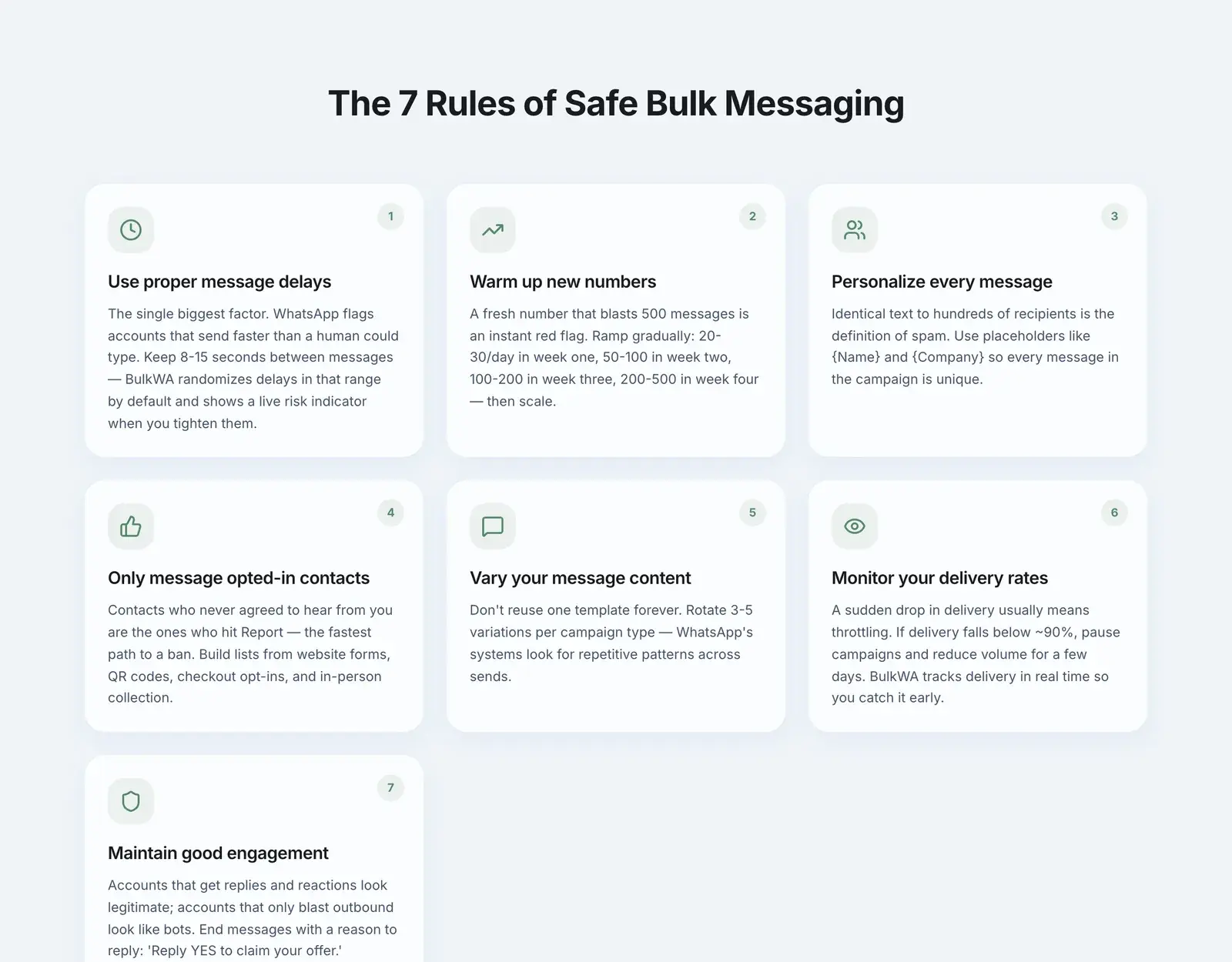
Short answer: it depends entirely on which WhatsApp you are using. The official Business API has published limits that start at 250 conversations per day. The regular WhatsApp and WhatsApp Business apps have no published limit at all — WhatsApp watches your behaviour instead, and the practical ceiling is roughly 50 messages a day on a new number and 300 to 450 on a well-established one.
Most articles on this topic quote API tier numbers at people who are not using the API. Here is the version that distinguishes them.
The Official API: Published, Predictable Tiers
If you are on the WhatsApp Business Platform (the official API, accessed through a Business Solution Provider), your limits are documented and enforced by Meta. They apply to business-initiated conversations in a rolling 24-hour window:
| Tier | Business-initiated conversations / 24h | How you get there |
|---|---|---|
| Unverified | 250 | Default on signup |
| Tier 1 | 1,000 | Complete business verification |
| Tier 2 | 10,000 | Hit usage + quality thresholds |
| Tier 3 | 100,000 | Hit usage + quality thresholds |
| Tier 4 | Unlimited | Hit usage + quality thresholds |
To move up, you generally need to use at least 50% of your current limit within a 7-day period while keeping your quality rating out of the red. Meta re-evaluates eligibility frequently — roughly every 6 hours — so a genuine growth curve gets rewarded fairly quickly.
Note the unit: conversations, not messages. A 24-hour conversation window can carry multiple messages. This makes the API limits more generous than they first appear for back-and-forth support, and less relevant if you are sending one-shot campaigns.
Two things will drag you back down: a falling quality rating (driven by blocks and reports) and long periods of low usage.
The Regular and Business Apps: No Published Number
This is the part people actually need and rarely get straight.
On the standard WhatsApp app and the free WhatsApp Business app, Meta publishes no daily sending limit. There is no counter, no quota screen, no warning at 90%. Instead, automated systems watch behavioural signals and restrict accounts that look like spam sources.
That means the real question is not "what is the limit" but "what makes me look like a spammer". The signals that matter most:
- How many people block or report you. This is the dominant signal by a wide margin.
- How many of your messages get replies. Silence across hundreds of sends looks like broadcasting to strangers, because it usually is.
- How sudden your volume increase is. Going from 5 messages a day to 500 overnight is a spike, and spikes get flagged.
- How similar your messages are to each other. Byte-identical messages sent to many numbers are trivially detectable.
- How many recipients have you in their contacts. Messaging people who do not know you is inherently higher risk.
- How old the number is and how much normal human use it has.
A number sending 400 personalized messages a day to an opted-in list that replies is in far better standing than one sending 60 identical messages a day to strangers who block it.
Practical Daily Numbers
With that caveat firmly in place — these are working guidelines, not guarantees, and your results depend on your list quality:
| Number age / state | Conservative daily volume | Notes |
|---|---|---|
| Brand new (day 1-3) | 20-40 | Have real conversations first, not just campaigns |
| Week 1 | ~50 | Ramp gradually, never jump |
| Week 2 | 100-150 | Watch for a drop in delivery rate |
| Week 3-4 | 150-300 | Only if engagement is holding up |
| Established, good engagement | 300-450 | The realistic practical ceiling |
Two rules matter more than the numbers themselves:
Never start a fresh number at high volume. A number registered yesterday that sends 300 messages today is the single most reliable way to get banned. This is what warm-up exists to prevent.
Increase gradually. A smooth ramp reads as a growing business. A step function reads as automation.
The Per-User Cap Nobody Warns You About
There is a second limit that has nothing to do with your account: Meta caps how many marketing messages an individual person receives per day across all businesses combined — commonly around two.
The consequence is strange and worth understanding. Your message can fail to reach someone because two unrelated companies already messaged them that day. You did nothing wrong, your account is healthy, and the message still does not land. This is one reason a marketing campaign never shows 100% delivery, and why utility and service messages behave differently from promotional ones.
Broadcast Lists Are Not a Workaround
People often reach for WhatsApp's built-in broadcast list to avoid limits. It does not work as a marketing channel, for a reason that catches almost everyone:
- A broadcast list holds a maximum of 256 contacts.
- Recipients only receive it if they have your number saved in their phone.
That second restriction is brutal. If 200 of your 256 contacts have not saved your number, 200 people silently receive nothing — and WhatsApp does not tell you. You see a sent message and assume it landed. We wrote a full comparison in our guide on broadcast lists versus groups, but the summary is: broadcast lists are for people who already know you, not for reaching a customer list.
How BulkWA Handles This
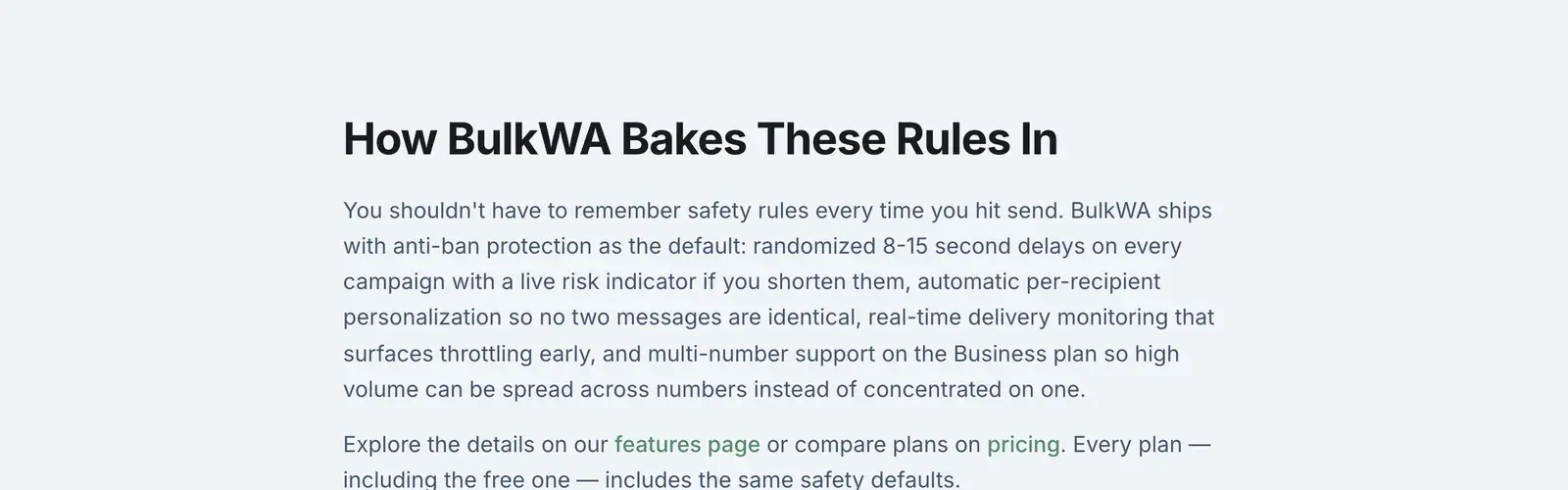
Because there is no published limit to enforce, BulkWA gives you controls rather than a quota:
- Randomized delays between messages (8-15 seconds by default) so send timing does not look machine-generated.
- Number Warm-Up mode, opt-in, which caps daily volume on a new number and ramps it automatically — roughly 40 per day rising to about 150 over two weeks, and up to about 450 per day for established numbers.
- Per-recipient personalization, so no two messages in a campaign are identical.
- Automatic STOP handling, so opt-outs never receive another campaign.
- Live delivery monitoring, so a drop in delivery rate is visible immediately rather than after you have burned the number.
Your plan's monthly message allowance is a billing limit and is completely separate from WhatsApp's behavioural limits. Staying under your plan cap does not make a send safe, and hitting your plan cap does not mean WhatsApp was unhappy.
What To Do If Delivery Rates Start Dropping
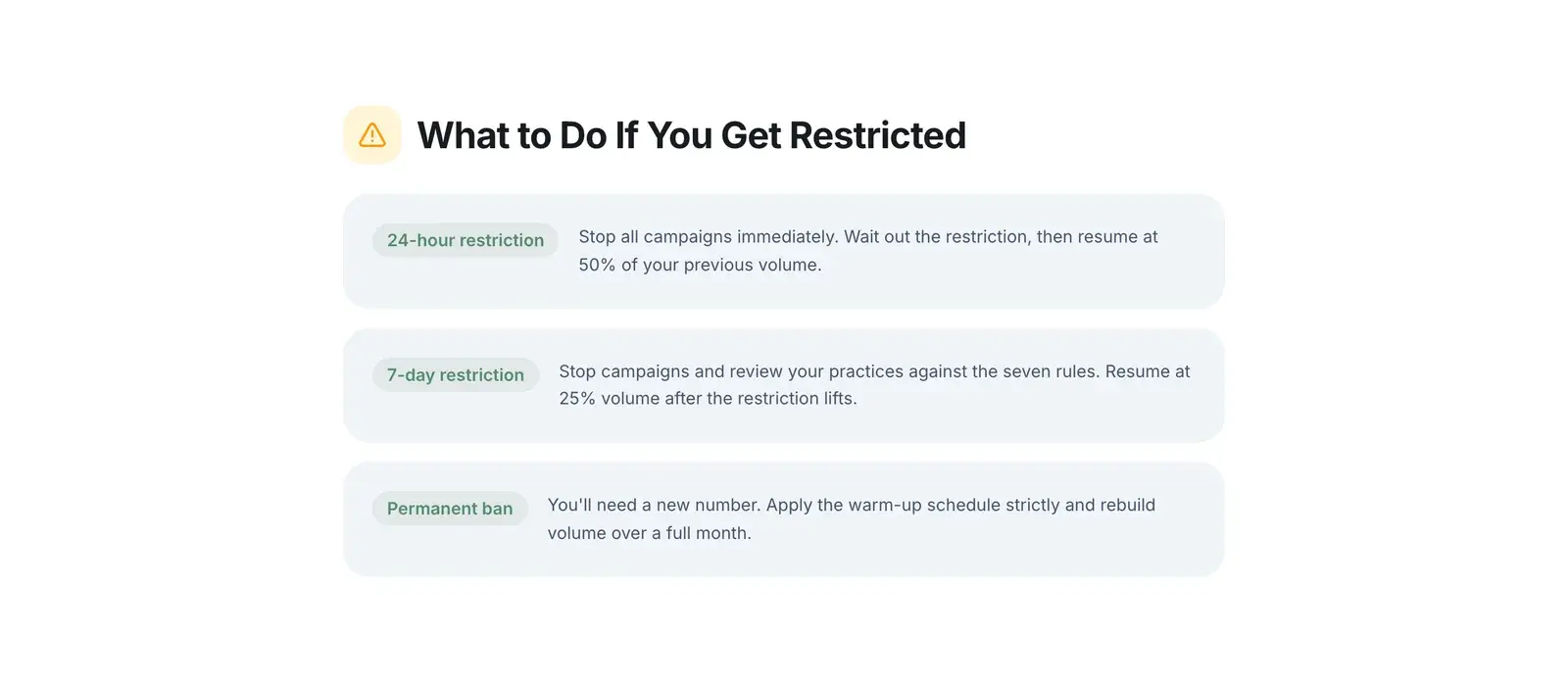
A falling delivery rate is the early warning that precedes a restriction. If you see it:
- Stop the campaign. Do not push through it.
- Cut daily volume by at least half for several days.
- Audit the list. Where did these numbers come from? Remove anything you cannot account for.
- Look at your message. Does it read like a person wrote it, or like a template blast?
- Resume slowly, watching the delivery rate before increasing again.
Recovering a healthy number is straightforward. Recovering a banned one is not — appeals have a 30-day window and no guaranteed outcome.
Our Recommendation
Do not look for a number to hit. Look for a curve to follow. BulkWA's opt-in Number Warm-Up mode enforces that curve for a fresh number — roughly 40 a day rising to about 150 over two weeks, up to around 450 for established numbers — and its randomized 8–15 second delays keep the pace human at every volume. Start on the free plan's 50 messages a day, which is exactly the right first-week volume for a new number, and let delivery rate rather than a quota tell you when to grow.
The Bottom Line
If you are on the official API, your limit is published, it starts at 250 conversations a day, and it grows as you demonstrate quality.
If you are using a QR-based tool on your own number — including BulkWA — there is no number to hit. There is only behaviour. Send to people who opted in, personalize every message, ramp volume gradually, and honour opt-outs. Do that and the ceiling is high. Skip it and the ceiling is wherever your first block-and-report cluster puts it.
Frequently Asked Questions
How many WhatsApp messages can I send per day without getting banned?+
There is no published limit on the regular WhatsApp or WhatsApp Business apps — WhatsApp watches behaviour instead of enforcing a fixed number. In practice, a brand-new number should stay under about 50 messages per day, and an established number with good engagement can typically reach 300 to 450 per day when messages are personalized and spaced out. Volume matters less than whether people reply or block you.
What are the WhatsApp Business API messaging limits?+
The official WhatsApp Business API uses published tiers. An unverified business portfolio starts at 250 business-initiated conversations per 24 hours. After business verification that rises to 1,000, then 10,000, then 100,000, and finally unlimited. You move up a tier by using at least 50% of your current limit within 7 days while maintaining a high quality rating; Meta reviews eligibility roughly every 6 hours.
Is there a limit on WhatsApp broadcast lists?+
A WhatsApp broadcast list on the regular or Business app holds a maximum of 256 contacts, and recipients only receive the message if they have your number saved in their phone. That second restriction is why broadcast lists fail as a marketing channel — most of your audience never sees the message and you get no error telling you so.
How many marketing messages can one person receive per day?+
Meta applies a per-user frequency cap on marketing messages, limiting how many promotional messages any individual receives across all businesses in a day — commonly around two. This means your message can be silently withheld because unrelated companies already messaged that person, which is one reason delivery rates on marketing campaigns are never 100%.
Ready to Try BulkWA?
Send bulk WhatsApp messages with personalized templates. Free to start, no credit card required.
Get Started Free