WhatsApp Account Banned? How to Appeal and Get It Back
What to do the moment your WhatsApp number is banned: how to tell a temporary ban from a permanent one, how to submit an appeal that gets read, the 30-day deadline, and what to do if the appeal fails.
Quick answer
If your WhatsApp number is banned, act within 30 days: open WhatsApp, tap 'Request a review' on the ban screen, write a short factual explanation, and expect a decision in 24 to 72 hours. Temporary bans (24–48 hours, often with a countdown) clear on their own. Permanent bans only lift on a successful appeal, and after 30 days the appeal route closes for good.
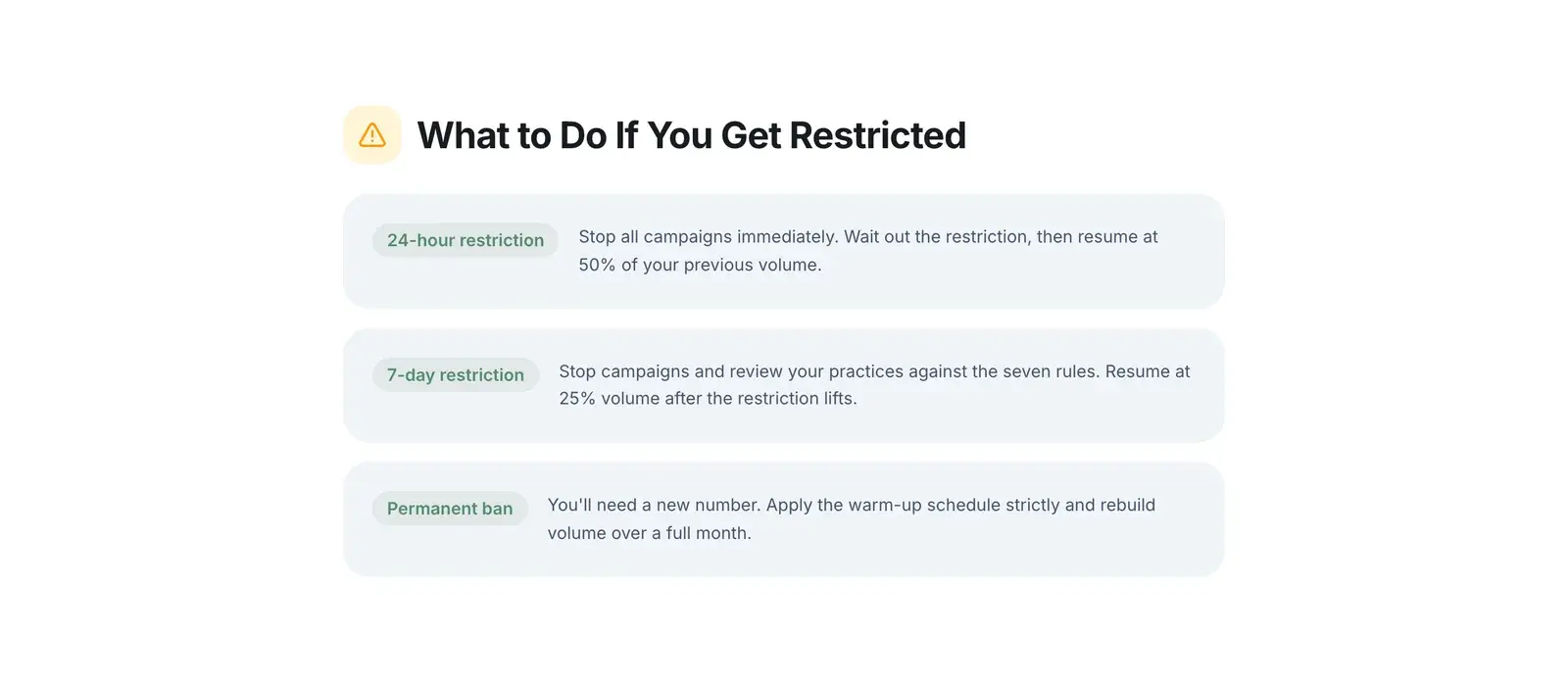
Short answer: act within 30 days, appeal in-app via "Request a review", and expect a decision in 24 to 72 hours. Temporary bans usually clear on their own in 24 to 48 hours. Permanent bans only lift if an appeal succeeds, and the appeal window closes permanently after 30 days.
If your number was just banned, do the appeal first and read the rest of this afterwards. The clock is the one thing you cannot get back.
First: Which Kind of Ban Do You Have?
The screen tells you, and the difference determines everything you do next.
Temporary ban. The app shows a countdown — commonly 1, 3, or 7 days — and text saying you are temporarily banned. This is automated, it expires by itself, and you do not need to appeal. Repeat offences make the next one longer, and by the fourth or fifth it typically becomes permanent.
Permanent ban. The message says your phone number is banned from using WhatsApp, with no countdown. There is usually a "Request a review" or "Support" button. This does not expire. Appealing is the only route back.
Do not reinstall the app hoping to reset it. The ban attaches to the phone number, not the installation. Reinstalling loses your local chat history and changes nothing about the ban.
How to Appeal, Step by Step
The in-app route (use this first). It attaches your account details automatically, which makes it faster and more likely to be handled correctly.
- Open WhatsApp. The ban screen appears.
- Tap Request a review (sometimes labelled Support).
- If prompted, enter the 6-digit code sent by SMS to verify you control the number.
- Write a short explanation. Keep it factual.
- Submit, then wait. Do not submit repeatedly — duplicate appeals do not speed anything up and can push you to the back of the queue.
The email route (if the in-app button is missing or fails). Email support@whatsapp.com from the email address associated with your account. Include:
- Your full phone number in international format with the country code (for example +44 7700 900123). Appeals get closed unread for missing this.
- The exact wording of the ban message.
- Whether you use WhatsApp, WhatsApp Business, or the API.
- A brief, honest description of what you were doing.
Expect a reply in 24 to 72 hours, though it can be faster or slower.
Writing an Appeal That Gets Read
Reviews are handled at scale. A short, specific, non-defensive message does better than a long emotional one.
What helps:
- State plainly what your account is used for ("a bakery in Lisbon; we send order confirmations to customers who gave us their number at checkout").
- If you genuinely did not violate the rules, say so once and explain why.
- If you did, acknowledge it briefly and say what you have changed.
- Keep it under a short paragraph or two.
What hurts:
- Anger, threats, or legal posturing.
- Copy-pasted appeal templates from the internet. They are recognisable, and they read as inauthentic.
- Claiming you never sent bulk messages when you did. Meta can see the sending pattern that triggered the ban; contradicting it costs you credibility on the one thing you needed.
- Filing repeatedly.
Honesty genuinely performs better here than cleverness.
While You Wait
Do not sit idle for 72 hours. Do these:
Tell your customers. If your WhatsApp line is a business channel, people are messaging into a void right now. Post on your other channels, update your website, and give them an alternative contact.
Do not immediately register a new number and resume. If the ban was triggered by your sending behaviour, doing the same thing on a new number gets that one banned too — usually faster, because a fresh number has no standing. Fix the cause first.
Export what you can. If you have another device still logged in, or a recent backup, secure it now.
Work out what actually triggered it. Be honest with yourself. Look at the list below.
Why Numbers Get Banned
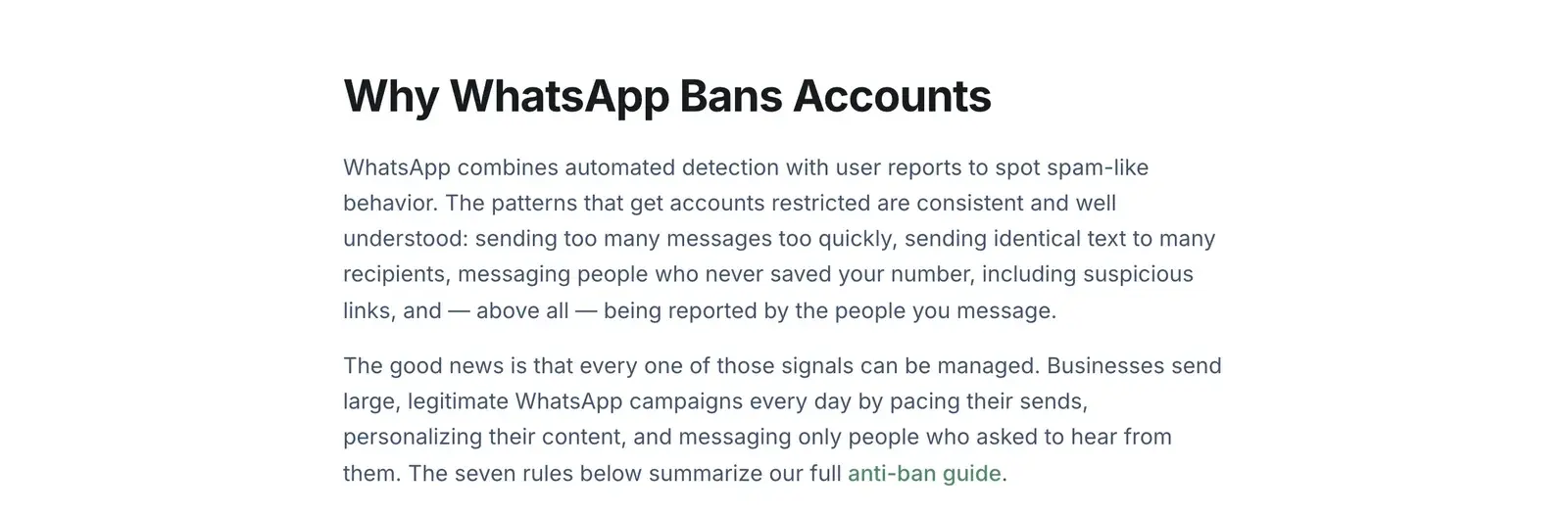
In rough order of how often each one is the real cause:
- Messaging people who never opted in. The dominant cause. Blocks and reports from strangers are the strongest ban signal there is.
- Purchased or scraped lists. A guaranteed source of blocks, and often of reports.
- A sudden volume spike. Especially on a new number.
- Identical messages at scale. No personalization means trivially detectable automation.
- Ignoring opt-outs. People who asked you to stop and got another message report rather than block.
- Unauthorised automation tools. Bulk sending outside the official API is against WhatsApp's Terms of Service — including QR-based tools like BulkWA. We say this plainly rather than letting you discover it here.
- Restricted product categories. Alcohol, tobacco, weapons, adult content, gambling, certain healthcare products. Consent does not exempt you.
- A number with no history used immediately for outreach.
Notice how many are about the list, not the tool. That is not an accident.
If the Appeal Fails
If your appeal is denied and the 30-day window has closed, that number is finished on WhatsApp. There is no second-level appeal and no paid escalation. Any service claiming it can unban a number for a fee is selling you something it cannot deliver.
Your route forward:
- Get a new number. Ideally one you can dedicate to business messaging so your personal number is never at risk again.
- Warm it up properly. Do not repeat the mistake. Low volume for the first weeks, real conversations, gradual increase.
- Rebuild the list with consent. Slower, and the only version that lasts.
- Consider the official API if you cannot tolerate this risk again. It costs more and takes longer to set up, and it does not ban you for sending volume you were approved for.
Reducing the Odds Next Time
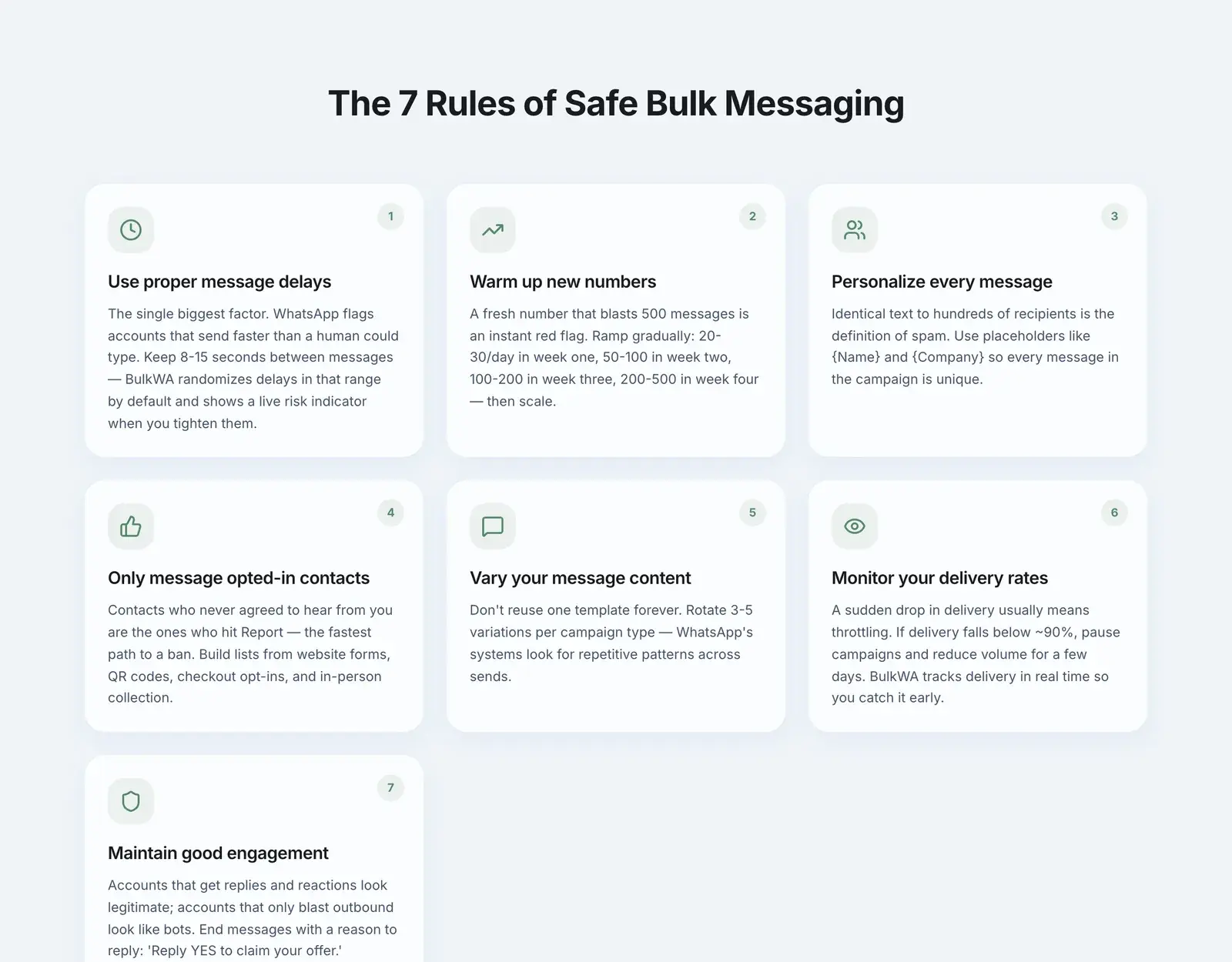
The measures that actually move the needle:
- Only message people who opted in. Everything else is secondary to this.
- Personalize every message. Names, order details, anything that makes each send unique.
- Space sends out. Randomized delays rather than a burst.
- Ramp new numbers slowly. Warm-up is not optional on a fresh number.
- Honour STOP immediately and permanently.
- Watch your delivery rate. A decline is the early warning before a restriction.
- Separate business from personal. Use a number you could afford to lose.
BulkWA automates the mechanical parts of this — randomized delays, per-recipient personalization, an opt-in warm-up ramp, automatic STOP suppression, and live delivery monitoring. What it cannot do is fix a list of people who never asked to hear from you. That part is on you, and it is the part that matters most.
Our Recommendation
Appeal today, honestly and briefly, and use the waiting time to find the real cause — it is almost always the list. When you come back, come back on a dedicated number, warmed up gradually, sending only to people who opted in. BulkWA automates the mechanical protections (randomized delays, personalization, opt-in warm-up, automatic STOP suppression, live delivery monitoring) and its delivery reports are how you will spot the next problem weeks before a ban rather than after one. The part it cannot automate — where your numbers came from — is the part that decides whether you read this article again.
The Bottom Line
Temporary bans expire; wait them out and change what caused them. Permanent bans need an appeal, in-app, within 30 days, written honestly and briefly.
But the number you most want to protect is the one you have not lost yet. Almost every permanent ban traces back to a list the sender could not account for. Fix that and the rest of this article stops being relevant to you.
Frequently Asked Questions
How long does a WhatsApp ban last?+
A temporary ban typically lasts 24 to 48 hours, and the app usually shows a countdown of 1, 3, or 7 days. Repeat violations extend the window, and a fourth or fifth offence commonly converts to a permanent ban. A permanent ban does not expire — it only lifts if your appeal succeeds.
How do I appeal a WhatsApp ban?+
Open WhatsApp and tap 'Request a review' on the ban screen, which submits the appeal directly with your account details attached. If the in-app option is unavailable, email support@whatsapp.com from the address linked to your account and include your full phone number in international format with the country code. Meta typically reviews appeals within 24 to 72 hours.
Is there a deadline to appeal a WhatsApp ban?+
Yes. WhatsApp's help documentation states that appeals must be submitted within 30 days of the ban. After 30 days, both the in-app 'Request a Review' button and the support email route stop processing the case, and the ban becomes effectively final. Appeal on the first day, not the last.
Can I use the same number again after a permanent ban?+
Only if your appeal succeeds. If the appeal is denied and the 30-day window closes, that number cannot be re-registered on WhatsApp and you will need a different number. Deleting and reinstalling the app does not clear a ban, because the ban is attached to the phone number rather than to the app installation.
Ready to Try BulkWA?
Send bulk WhatsApp messages with personalized templates. Free to start, no credit card required.
Get Started Free