How to Extract Phone Numbers from a WhatsApp Group
TL;DR
The free way is manual: open the group, tap its name, and copy each participant's number from the member list one by one. A tool like BulkWA, on paid plans, imports up to 5 groups at once into a contact list or a per-group CSV. Either way, being in a group is not consent to receive marketing.
Most people asking how to extract phone numbers from a WhatsApp group have a perfectly ordinary reason: a parents' group, a customer community they run, a course cohort, an event they organised. They want the numbers in a spreadsheet so they can message people individually, keep a record, or move them somewhere else.
WhatsApp does not make this easy. There is no "export members" button, and the manual route is one number at a time. Below are the methods that actually work, what each one misses, and the part most guides skip: what you are allowed to do with the list afterwards.
Method 1: Copy Numbers from Group Info (Free, Manual)
This works on any phone and costs nothing. It is fine for a group of 20. It is painful for a group of 500.
- Open the group in WhatsApp on your phone.
- Tap the group name at the top to open group info.
- Scroll to the participants list and tap "View all" if the group is large.
- Tap a participant you have not saved. Unsaved members usually show their phone number, often next to the display name they chose.
- Copy the number into a spreadsheet, with the name in the next column.
- Repeat for every member.
WhatsApp Web works the same way and is faster for typing: open the group, click its name, and the member list appears in the right-hand panel. You still copy one row at a time.
Two limits to know before you start. Members you have already saved appear under your contact name, so you need to open each one to see the number. And WhatsApp has been adding privacy features that hide participant numbers in some contexts, such as community announcement groups, where you may see names without numbers. No manual trick reveals what WhatsApp chooses to hide.
Method 2: Export the Chat (Free, Partial)
Group info, then "Export chat", produces a text file of the conversation. Every message line starts with the sender, which is their number if you have not saved them.
It is free and fast, but it only captures people who posted. In most groups, a large share of members never say anything, so the export is a list of the talkative ones, not the membership. Expect to clean the file by hand before it is usable.
Method 3: Import the Whole Group with BulkWA
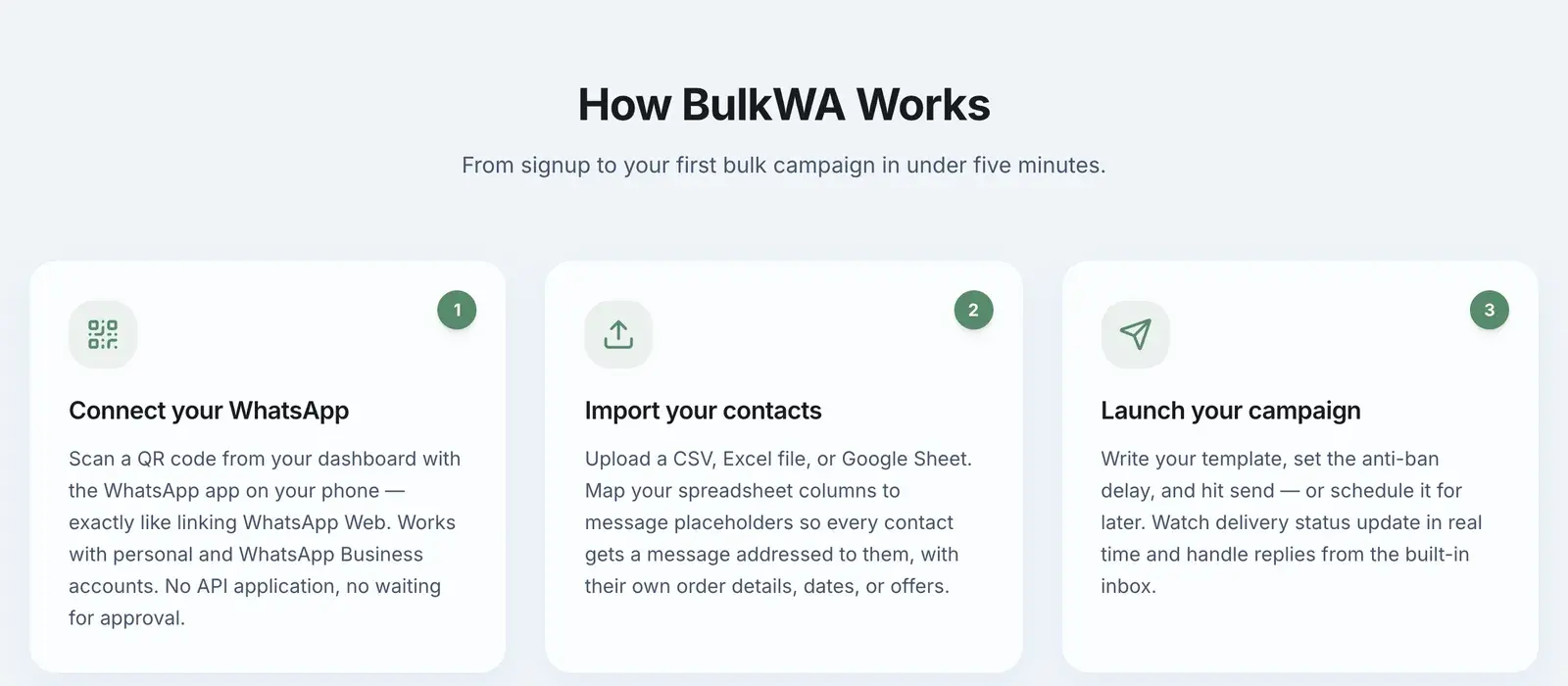
BulkWA has an Import from Group button on the Contacts page of the dashboard. It reads the member list through your own paired WhatsApp number, so it only sees groups you are already in.
- Pair your number by QR code if you have not already. The import needs a connected WhatsApp session.
- Open Contacts and click Import from Group. Choose which connected number to use if you have more than one.
- Pick your groups. The modal lists every group the number belongs to, largest first, with the participant count next to each.
- Select up to 5 groups. The Import button shows the combined member count before you commit.
- Name the new contact list, or leave it blank and it is named "Group import" plus today's date.
- Click Import. The result screen shows three numbers: new contacts, contacts you had already saved, and members with no number found.
If you only want a file, every group row has a #171c1f] font-semibold">Download CSV button. The file has two columns, phone and name, and opens directly in Excel or Google Sheets. If you are moving the numbers into another system, our guide to [importing contacts from CSV covers the formatting side.
What happens under the hood is worth knowing, because it explains the counts:
- Duplicates are merged. Someone in three of your selected groups becomes one contact.
- Existing contacts are not recreated. They are linked to the new list and counted as "already saved".
- Your own number is skipped.
- Imported contacts are tagged "group-import", so you can filter them later.
- Up to 5,000 participants per import. Above that, the first 5,000 are processed and a warning says so.
- Some members may stay unresolved. Newer WhatsApp groups identify members by internal IDs rather than phone numbers. BulkWA resolves those IDs in batches, but any it cannot match are reported as "no number found" rather than guessed.
Group import and CSV export are paid features. On the free plan the button opens an upgrade prompt instead of the group list.
Which Method Should You Use?
| Method | Cost | Members captured | Effort | Output |
|---|---|---|---|---|
| Group info on phone or WhatsApp Web | Free | Everyone whose number WhatsApp shows | One by one | Whatever you type into a sheet |
| Export chat | Free | Only members who posted | Low, plus cleanup | Text file |
| Browser extension scraper | Varies | Usually everyone visible on WhatsApp Web | Low | CSV, usually |
| BulkWA Import from Group | Paid plans, from $9/mo | Up to 5,000 per import, minus unresolved IDs | A few clicks | Contact list or CSV per group |
On extensions: they work by reading WhatsApp Web inside your browser, which typically means granting permission to read and change all data on the page. On WhatsApp Web that is every message and contact you have. If you go that route, check who publishes the extension and remove it when you are done.
What Are You Allowed to Do with the Numbers?
This is the part that decides whether the list is useful or a liability.
#171c1f] font-semibold">Group membership is not consent. Someone who joined a neighbourhood group, a trade community or a course chat agreed to talk in that group. They did not agree to receive marketing from you personally. Under GDPR and similar laws, a phone number is personal data, and using it for marketing generally needs a lawful basis, most often consent. Our post on [whether bulk WhatsApp messaging is legal covers the rules by region.
WhatsApp's enforcement is faster than any regulator. People who get an unexpected message from a stranger tap Report. Reports are one of the strongest ban signals WhatsApp uses, and the ban lands on your number, not on the tool you used. No sender can take that risk away.
The lists that work are groups you run for people who already expect to hear from you: your customers, your members, your class. If you are not sure, send the group itself a short message inviting people to opt in, and only add those who say yes. Our guide to building an opt-in list has wording that works.
When you do message an imported list, the usual rules apply in full:
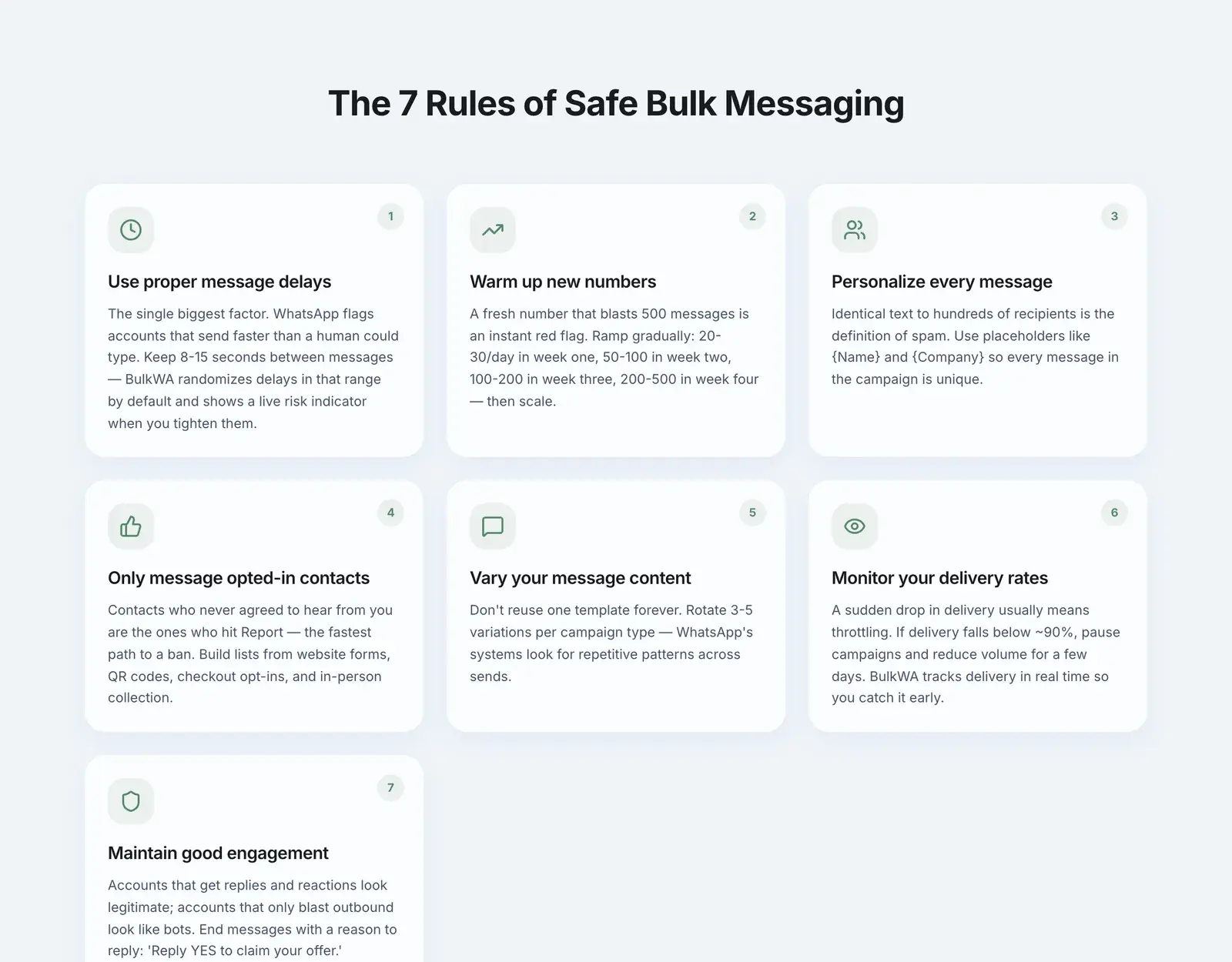
- Randomized 8–20 second delays between messages. BulkWA applies these by default.
- Warm up a new number gradually, starting at roughly 20-30 messages a day.
- Personalize every message so no two are identical.
- Honour STOP. Recipients who reply STOP are recorded as opted out, and BulkWA campaigns skip them.
The full list is in our anti-ban rules.
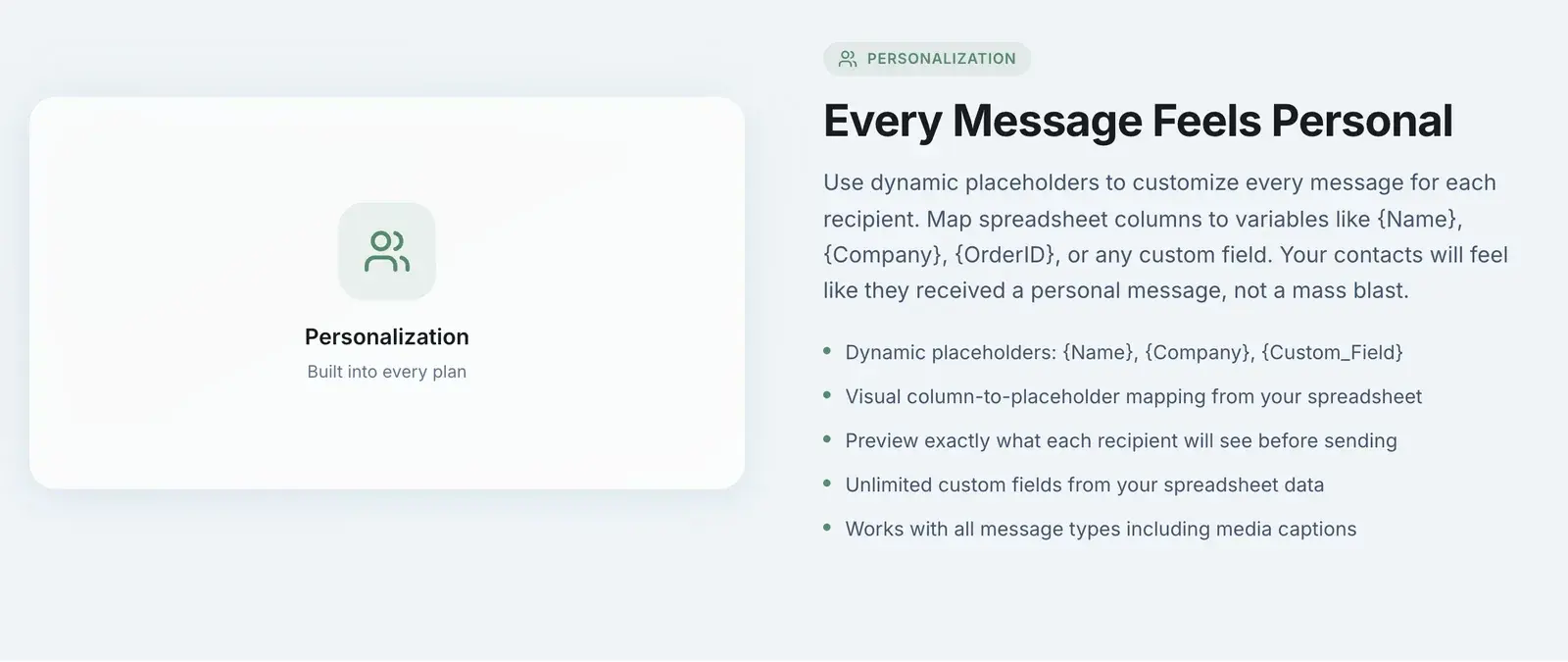
One practical note on personalization: a group import carries the member's WhatsApp display name when one is visible, which may be a nickname, an emoji or blank. Check the per-recipient preview before relying on {Name}, or fill in names yourself for a small list.
Where BulkWA Fits
If you need numbers from one small group once, do it by hand. It is free and takes ten minutes.
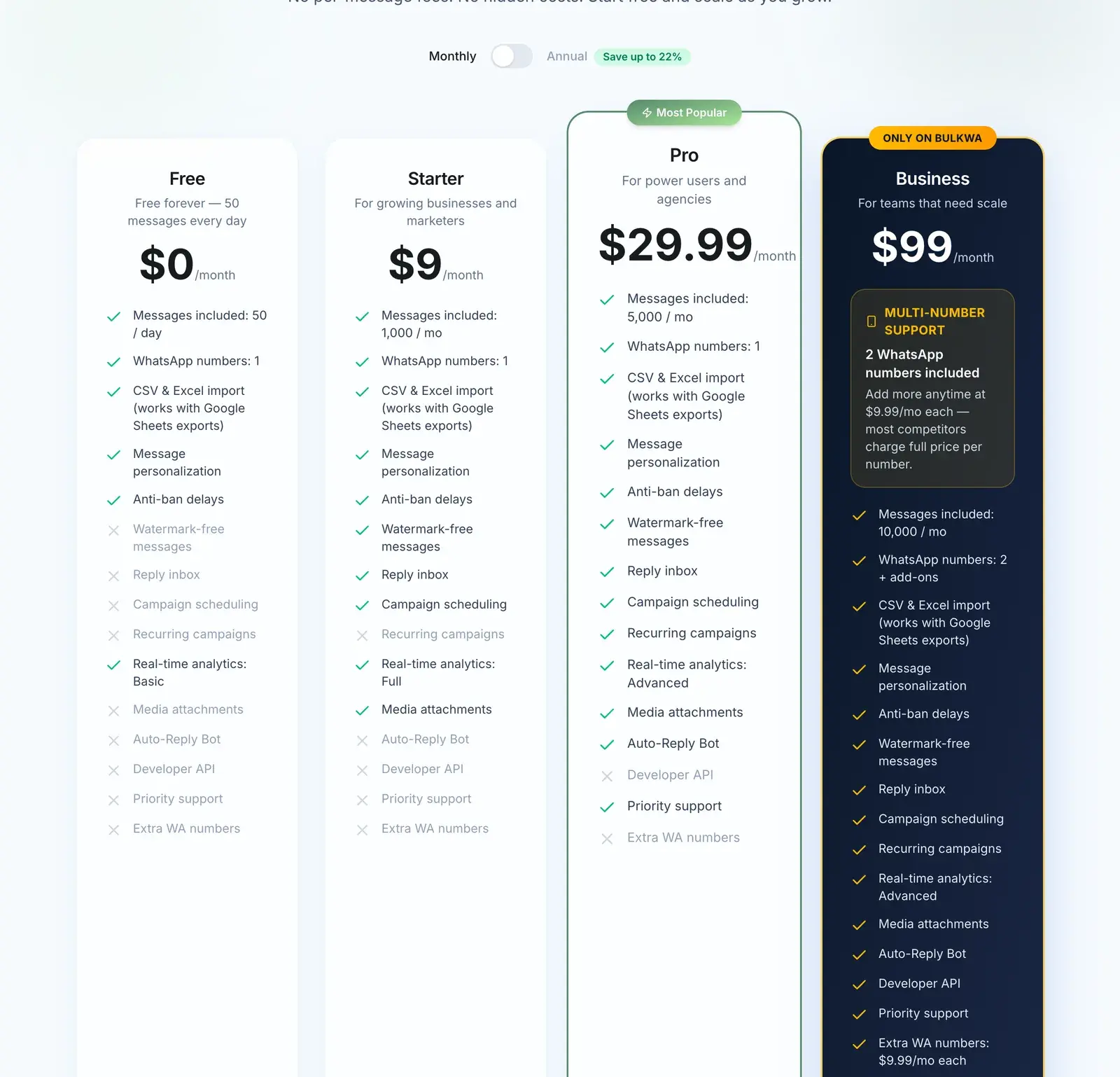
If you run several groups, or a large one, BulkWA's Import from Group turns up to 5 of them into a deduplicated contact list in one step, with a CSV per group if you want the file. It is included on every paid plan: Starter at $9/month (1,000 messages), Pro at $29.99/month (5,000), and Business at $99/month (10,000, two numbers). Annual billing lowers each. See pricing for the details, or browse the rest of the features.
The free plan, at 50 messages a day with a "Sent via BulkWA" note, does not include group import. It is still the easiest way to pair your number and send yourself a test before paying for anything. Create a free account to try it.
What we will not tell you is that an exported group is a ready-made marketing list. It is a list of people who joined a conversation. Message the ones who expect to hear from you, and your number will last.
Frequently Asked Questions
Can I export WhatsApp group contacts to Excel for free?+
Not in one step. WhatsApp has no built-in export for a group's member list, so the free route is copying numbers by hand from the group info screen into a spreadsheet. Exporting the chat gives you a text file, but it only contains people who actually posted. Paid tools such as BulkWA download a group's members as a CSV file with phone and name columns, which opens directly in Excel or Google Sheets.
Why can't I see some phone numbers in a WhatsApp group?+
WhatsApp has been adding privacy features that hide participant numbers in some contexts, such as community announcement groups, where members may see names but not numbers. Newer groups also identify members by internal IDs rather than phone numbers. Tools can resolve many of those IDs back to numbers, but not always: BulkWA reports any member it could not resolve as "no number found" rather than guessing.
Is it legal to message people I extracted from a WhatsApp group?+
It depends on where you and they are, but in most privacy regimes, including GDPR, joining a group is not consent to receive marketing from another member. A group you run for your own customers or members is a different situation from a public group you joined. The safe test: would each person expect to hear from you, and can they opt out? If not, do not send.
How many group members can BulkWA import at once?+
Up to 5 groups per import and up to 5,000 participants per import. If the selected groups contain more than 5,000 members combined, only the first 5,000 are processed and the result screen shows a warning. Duplicates across groups are merged, contacts you already saved are linked to the new list instead of being created twice, and your own number is never imported.
Do browser extensions that scrape WhatsApp groups work safely?+
They often work, but they are a security trade. To read group members, an extension usually needs permission to read and change all data on WhatsApp Web, which covers your messages and contacts as well. You are trusting an often-anonymous developer with your whole account. A web dashboard paired by QR code, which you can unlink from your phone's Linked Devices screen at any time, is the lower-risk route.
Ready to Try BulkWA?
Send bulk WhatsApp messages with personalized templates. Free to start, no credit card required.
Get Started Free