How a Church Can Send WhatsApp Messages to Its Whole Congregation
TL;DR
A church can message its congregation on WhatsApp three ways. Free broadcast lists reach up to 256 people, but only those who saved the church's number. A Community announcement group reaches everyone in one post, with no personalisation. For larger, personalised, scheduled sends, a bulk sender works from your own number and an opted-in contact list.
Most churches already run on WhatsApp. There is a members group that nobody reads because it has 400 messages a day, a youth group the youth pastor manages from their own phone, and a volunteer rota that lives in someone's chat history. The question is how to reach everyone reliably with the things that matter, without turning the church number into spam.
There are three honest answers, and which one fits depends mostly on how many people you need to reach and whether each message needs to say something different to different people.
What Are the Free Options?
WhatsApp gives you two free tools before you need anything else.
#171c1f] font-semibold">Broadcast lists. You pick up to 256 contacts and send one message that arrives as a private chat from the church number. Replies come back privately too, which is good for things like RSVPs. The limitation people discover late is that a member only receives a broadcast if they have saved the church's number in their own contacts. Anyone who has not saved it simply never gets the message, and you get no warning. We compare the mechanics in detail in [broadcast list vs group.
Communities and announcement groups. A WhatsApp Community has an announcement group where only admins can post. It is the closest thing to a church notice board: one post, everyone in the Community sees it, no reply-all chaos. The trade-off is that every message is identical, members have to join the Community first, and there is no scheduling.
For a congregation of 80 that meets once a week, a Community announcement group may be all you ever need. The rest of this guide is for churches where it has stopped being enough.
When Does a Church Need a Bulk Sender?
The signs are usually practical rather than technical:
- More than 256 people, so broadcast lists need splitting and someone has to keep several lists in sync
- Different messages for different groups: the choir rehearsal change should not go to the whole church
- Personal messages at scale: "Hi Grace, your serving slot this Sunday is the welcome desk" instead of a rota pasted into a group
- Sending at a set time without someone remembering to press send on Saturday night
- Members who never saved the number and keep missing broadcasts
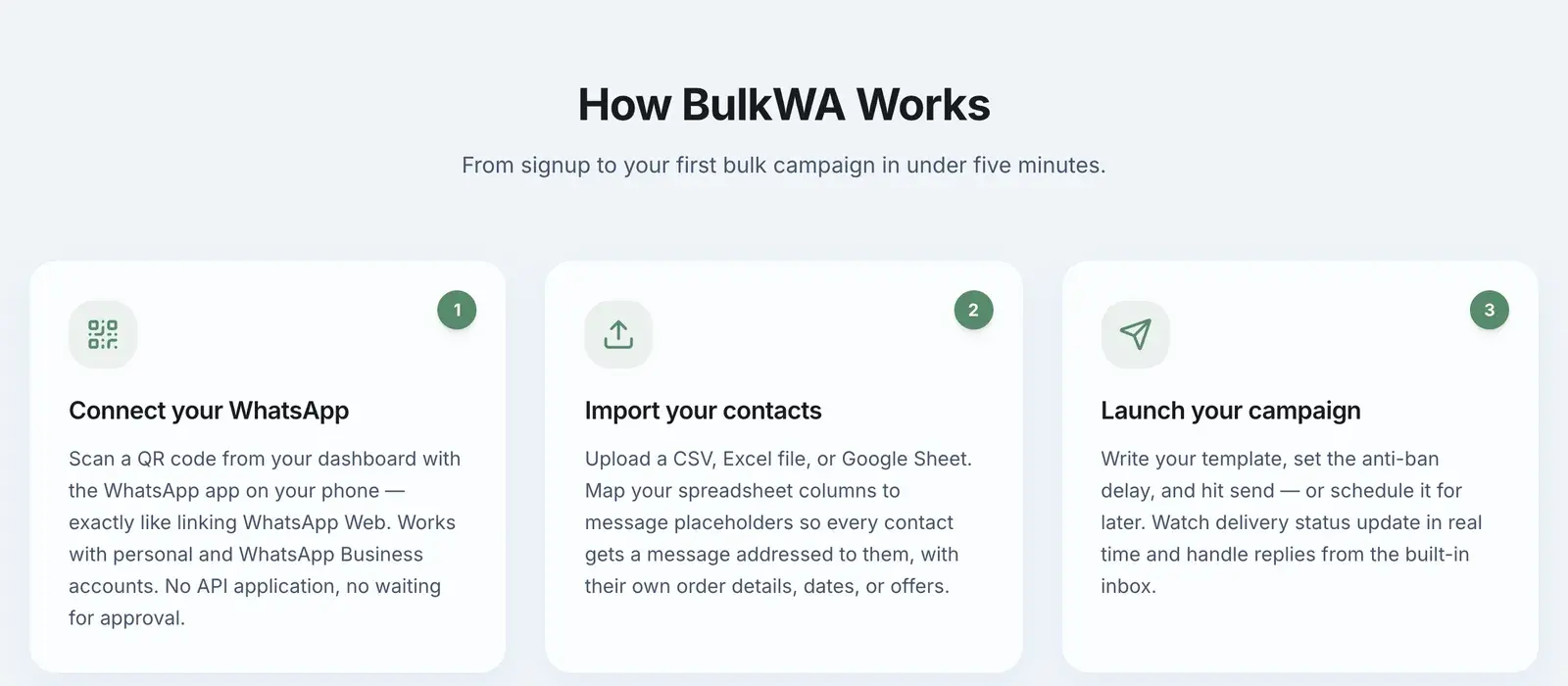
A bulk sender such as BulkWA pairs with the church's existing WhatsApp number by QR code, like WhatsApp Web, and sends each person an individual message from a contact list you import as a CSV or Excel file. Members do not need to have saved your number to receive it.
Step 1: Get Consent Right Before You Import Anyone
This matters more for a church than for most businesses, because people trust you.
There is a real difference between a member who wrote their number on a welcome card "so the church can contact me" and agreement to receive anything at all. Service times, event notices, rota reminders and closures fit the first. Fundraising drives, partner charities and political or campaign messages usually do not. Our guide to donation appeals and volunteer calls for nonprofits covers asking for that separate consent. Add a line to your welcome card and membership form that says plainly what members will receive on WhatsApp, and keep a column in your spreadsheet showing who agreed. Our guide to building an opt-in list has wording you can adapt. For announcement wording, the free WhatsApp message templates include a Nonprofits & communities set you can copy.
If your church already has a members WhatsApp group, BulkWA's group import (on paid plans) can turn the members of up to 5 groups at a time into a contact list, with a CSV export. Tell the group first. Being in a group chat is not the same as agreeing to private messages.
Step 2: Segment the Congregation
One list for everyone is how churches end up over-messaging. Add a column to your spreadsheet for each group a person belongs to and split by it:
- Whole congregation: weekly service reminder, major events, closures
- Youth and parents: youth night, camp forms, pickup times
- Volunteers and serving teams: rota reminders, briefings
- Small groups and home groups: venue and study changes
- Choir and worship team: rehearsal times, set lists
Placeholders make one message personal for everyone in a segment. Any column in your file becomes a placeholder, so {Name}, {Group} and {ServingRole} can all appear in the text. See how to personalize bulk WhatsApp messages for examples.
If your congregation worships in more than one language, add a Language column and send each language as its own campaign rather than stacking two translations in one long message.
Step 3: Schedule Around the Life of the Church
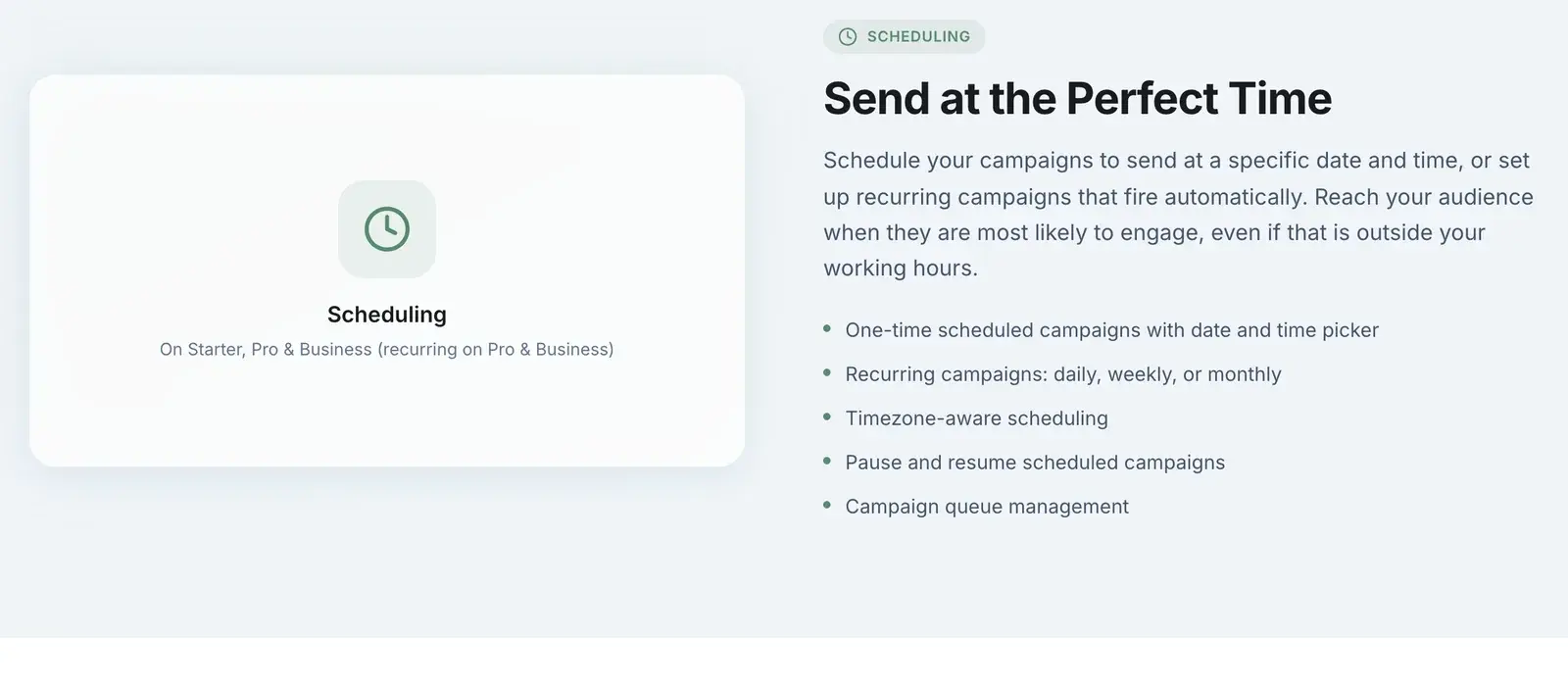
Timing is the easiest thing to get wrong. Never let a message land during a service, and if your church keeps a Sabbath or a quiet day, schedule around it. A reminder on Saturday afternoon for Sunday morning works; one at 10:30 on Sunday morning is a phone buzzing in the middle of the sermon.
There are two kinds of sends:
- Recurring: the weekly service reminder, the monthly prayer meeting. Recurring campaigns on the Pro plan let you set these up once.
- #171c1f] font-semibold">One-off: the Christmas service, a baptism Sunday, a funeral notice. Our guide to [event invitations for a whole guest list covers RSVPs. Scheduling on Starter and above lets you write it when you have time and send it at the right hour.
Our campaign scheduling guide covers send windows in more depth.
Step 4: Handle Replies Like Pastoral Care
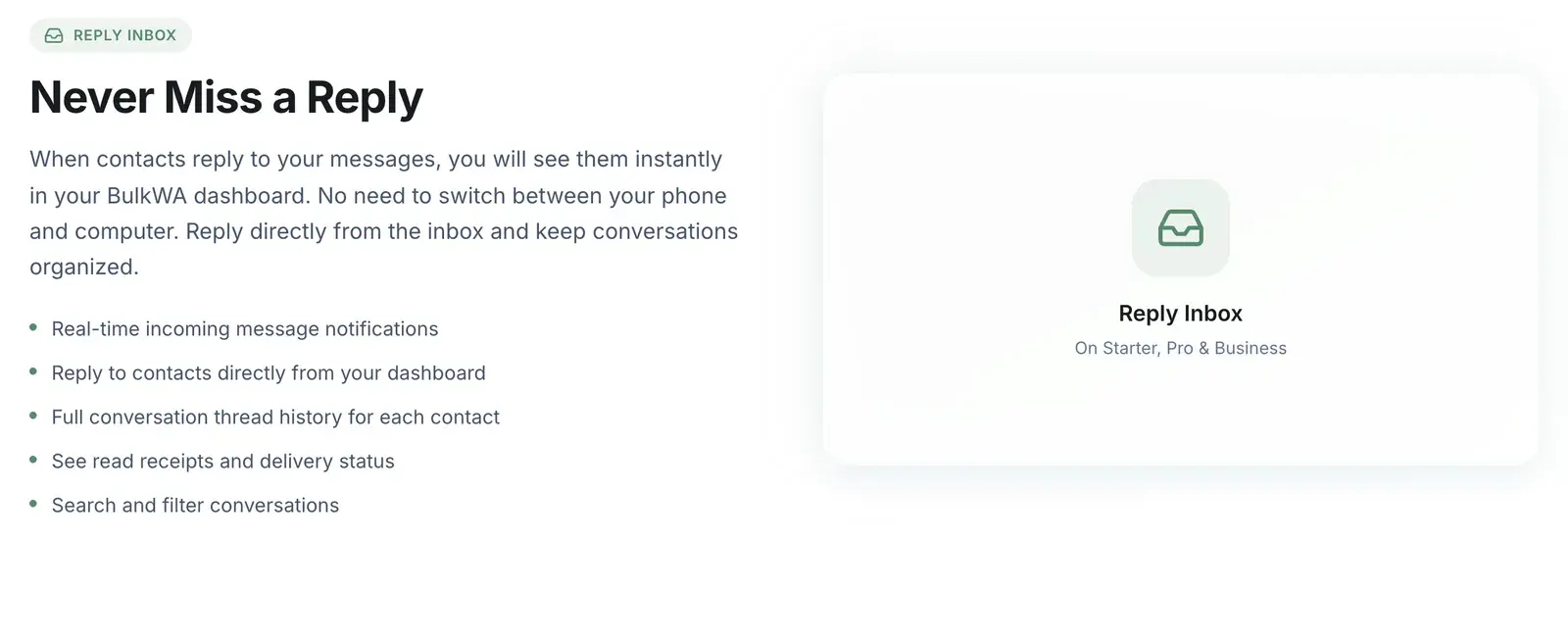
When the church sends a message, people reply. Some reply "Amen", some ask what time parking opens, and some share something heavy: a diagnosis, a bereavement, a prayer request. Those replies should not sit on a volunteer's personal phone.
The reply inbox (Starter and above) collects replies from the church number in one place. On Pro, the auto-reply bot can acknowledge common questions by keyword, such as service times or the address. Anyone who replies STOP is unsubscribed automatically on every plan.
The rule that matters most: never send pastoral or confidential information in bulk. A bulk message is a copy on every phone on the list, and it can be forwarded. Send a general invitation ("Reply here if you'd like us to pray with you this week") and answer each reply one to one.
How Much Does It Cost by Congregation Size?
Broadcast lists and Communities are free. If you use BulkWA, the plan follows your monthly message count, not your membership roll. These are worked examples using real pricing:
| Congregation | Sending pattern | Messages per month | Plan | Price |
|---|---|---|---|---|
| 40 members | 1 reminder a week | about 160 | Free | $0, 50 messages a day, with a "Sent via BulkWA" note |
| 120 members | 4 messages a month | 480 | Starter | $9/mo or $7/mo annual |
| 400 members | Weekly reminder plus 1 event | about 2,000 | Pro | $29.99/mo or $23.99/mo annual |
| 1,000 members | Weekly reminder | about 4,000 | Pro | $29.99/mo or $23.99/mo annual |
| 1,500 members | Weekly reminder | about 6,000 | Business | $99/mo or $79/mo annual |
Segmenting keeps these numbers down. A rota reminder to 30 volunteers costs 30 messages, not 1,500. If you are close to a limit, read WhatsApp daily message limits before choosing a plan.
What Are the Risks?
Be clear-eyed about this. A QR-based sender is an unofficial connection to WhatsApp, not the official Business API, and the ban risk sits on the number you pair. If the church number is restricted, that is the number on your website, your bulletin and every member's phone. WhatsApp does not treat a church differently from a shop.
What keeps a number healthy:
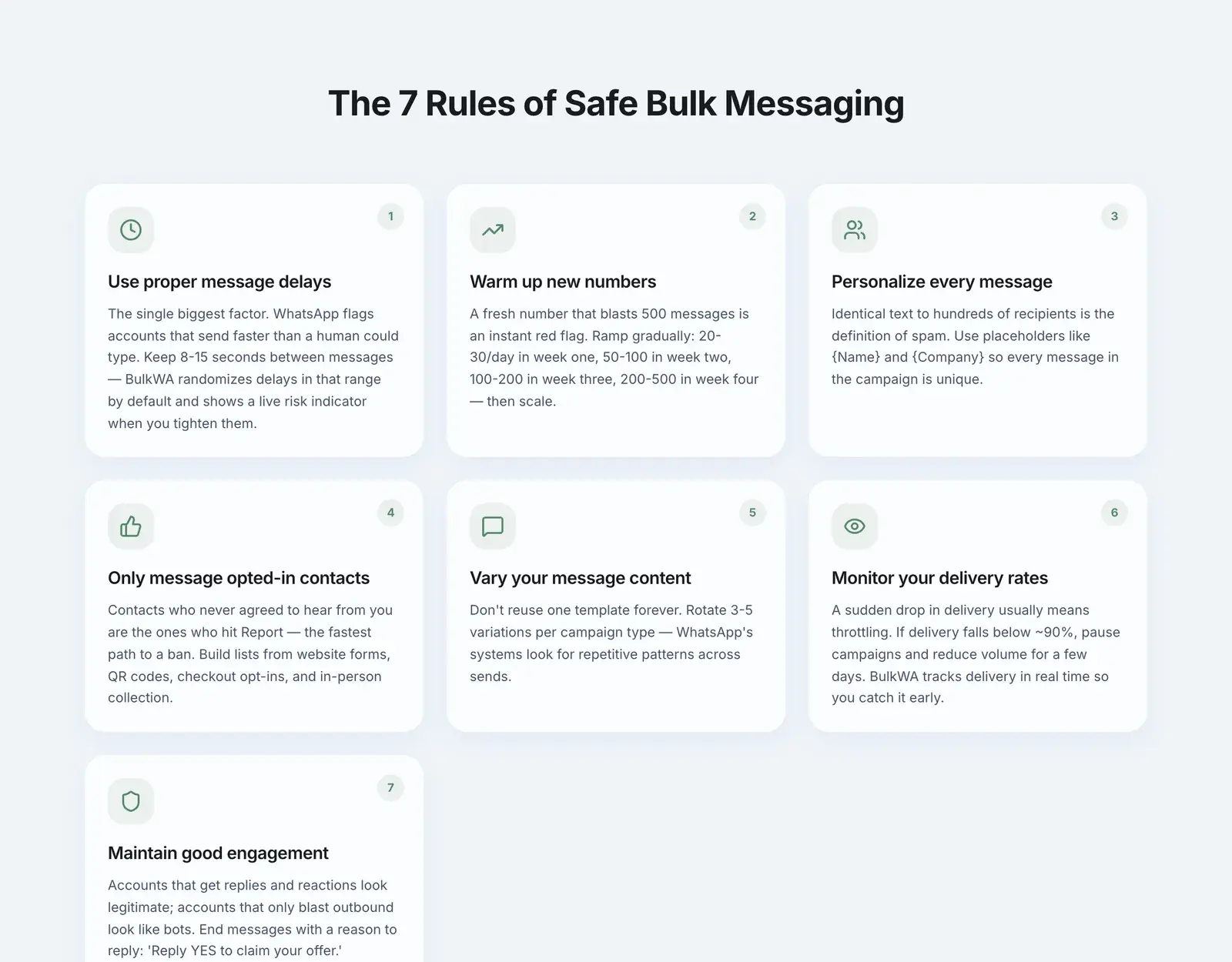
- Opt-in only. Message people who expect to hear from the church. Reports from recipients are the fastest route to a ban.
- Slow, randomized sending. BulkWA waits a random 8 to 20 seconds between messages by default. A list of 400 takes over an hour, and that is the point.
- Warm up a new number. A number that has never sent in volume should start small and build up over days.
- Personalise. Hundreds of identical messages look automated. {Name} and a relevant detail make each one a real message.
- Make leaving easy. End with "Reply STOP to stop these messages" and respect it.
Our full list is in our anti-ban rules.
Where BulkWA Fits
If your church is small and one announcement group works, keep using it. It is free and it does the job.
BulkWA fits when the congregation has outgrown broadcast lists, when different groups need different messages, or when the weekly reminder depends on one person remembering. You pair the church number by QR, import the member list from a spreadsheet, segment it, and schedule personalised messages that go out at a human pace. Replies come back to one inbox, and STOP is handled for you.
The free plan gives you one number and 50 messages a day, enough to send the volunteer team a test reminder this week. You can create a free account without a card, or look through the features first.
What we will not claim: that this is officially sanctioned by WhatsApp. It is not. Message only people who asked to hear from you, send slowly, and keep anything pastoral one to one.
Frequently Asked Questions
Can a church use WhatsApp broadcast lists for announcements?+
Yes, and for a small church it is often enough. A broadcast list sends one message to up to 256 contacts as individual chats, free. The catch is that a member only receives it if they have saved the church's number in their own phone, so some people silently miss every message. For more than 256 members you need several lists or a different tool.
Is it allowed to message church members on WhatsApp without asking first?+
Ask first. Members who gave their number for church contact, such as on a welcome card or membership form, reasonably expect service reminders and event notices. That is not the same as agreeing to fundraising appeals or messages from a partner organisation. Write down what people agreed to, keep it to that, and honour every STOP reply immediately.
How much does it cost to send weekly WhatsApp reminders to a congregation?+
Broadcast lists and Community groups are free. With BulkWA, the plan depends on monthly volume: 120 members receiving four messages a month is 480 messages, which fits Starter at $9 a month. A congregation of 1,500 receiving a weekly reminder sends about 6,000 messages a month, which needs the Business plan at $99 a month or $79 billed annually.
Can I turn our existing church WhatsApp group into a contact list?+
On BulkWA's paid plans, yes. Group import reads the members of WhatsApp groups your connected number belongs to, up to 5 groups at a time, and turns them into a contact list you can also export as CSV. Being in a group is not the same as agreeing to direct messages, so tell the group before you start messaging people individually.
Should a church send prayer requests to everyone on WhatsApp?+
Not individual ones. A bulk message is a copy sent to every phone on the list, and it can be forwarded or screenshotted. Send a general invitation to share prayer requests, then handle each reply privately. Health news, family situations and anything said in pastoral confidence should never go out in a bulk send, even to a small group.
Ready to Try BulkWA?
Send bulk WhatsApp messages with personalized templates. Free to start, no credit card required.
Get Started Free