How to Schedule a WhatsApp Message on iPhone and Android
TL;DR
Yes, but not with a built-in button. As of this writing, the regular WhatsApp app has no general scheduled-send feature for one-to-one chats. You can approximate it with an iPhone Shortcuts automation or an Android auto-sender app, or use the WhatsApp Business Platform or a dashboard tool like BulkWA that sends at a set time.
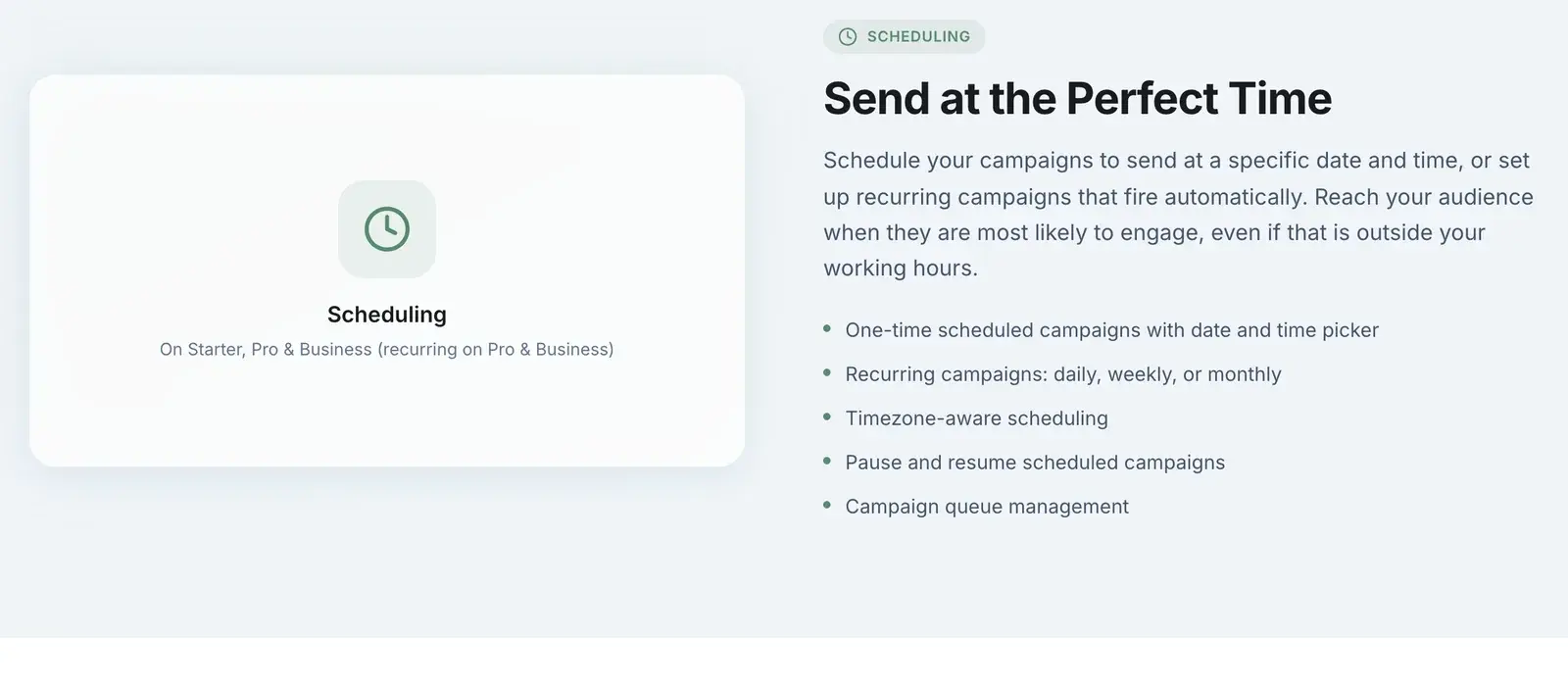
Short answer: you can get a WhatsApp message to go out later, but WhatsApp does not give you a button for it. As of this writing, WhatsApp has not shipped a general scheduled-send feature in the consumer app for one-to-one chats. Check your own app version, because features change.
What you can use instead depends on your phone, whether you are messaging one person or hundreds, and how much risk you are willing to take. This guide covers the mechanics on each platform. For when to send and how often, read our campaign scheduling guide, which covers timing and frequency.
Which Ways to Schedule a WhatsApp Message Actually Work?
| Method | Works on | Cost | Limit |
|---|---|---|---|
| iPhone Shortcuts automation | iPhone | Free | Often needs a tap to confirm; one chat per automation |
| Android auto-sender app | Android | Free or paid app | Needs Accessibility access and an awake, unlocked phone |
| WhatsApp Business greeting and away messages | WhatsApp Business app | Free | Replies only; cannot start a conversation at a set time |
| WhatsApp Business Platform (API) | Your own software or a provider | Meta per-message fees plus provider costs | Approved templates needed outside the 24-hour window |
| BulkWA scheduled campaign | Any browser, paired with your own number | From $9/mo; recurring from $29.99/mo | Unofficial connection; randomized 8–20 s gaps between messages |
How Do You Schedule a WhatsApp Message on iPhone?
The closest thing on iPhone is a Shortcuts personal automation. WhatsApp exposes a Send Message action to Shortcuts, and a Time of Day trigger can run it.
- Open the Shortcuts app and tap the Automation tab.
- Tap New Automation (or the + button) and choose Time of Day.
- Set the time and how often it repeats, then choose whether it runs immediately or after confirmation.
- Add the Send Message via WhatsApp action, pick the contact and type the message.
- Save it. For a one-time message, come back after it fires and turn the automation off, or it will run again on the next repeat.
The honest caveat: depending on your iOS and WhatsApp versions, the action may open the chat and wait for you to tap Send, or need the phone unlocked. In practice it is a reminder that does the typing for you more than an unattended send. Fine for one birthday text; useless for a customer list.
How Do You Schedule a WhatsApp Message on Android?
Android has no built-in option either. The usual route is a third-party "auto sender" or "scheduler" app from the Play Store.
- Install the app and open it.
- Grant Accessibility permission when it asks. This is how it taps WhatsApp's Send button for you.
- Write the message, choose the contact and set the date and time.
- At send time, the app wakes WhatsApp and presses Send. Many need the screen lock off or the phone unlocked to do it.
Understand what you are granting. Accessibility permission lets an app read everything on your screen and act on your behalf in every app: banking, email, passwords as you type them. Turning off your screen lock so a scheduler can work is a security trade most people should not make. And automating the WhatsApp app is unofficial, so any risk lands on your number.
Can WhatsApp Business Schedule Messages?
Not in the way most people mean. As of this writing, the WhatsApp Business app gives you:
- Greeting messages, sent automatically when someone messages you for the first time or after a gap
- Away messages, sent when someone messages you outside the hours you set
- Quick replies, saved text you insert with a shortcut
All three respond to someone who wrote to you first. None of them lets you write a promotion on Monday and have it start a conversation with a customer on Thursday. Groups and Communities have an events feature for putting a date in front of members, but that is not the same as scheduling a message to post later. For invitations and RSVPs to a whole list, see sending WhatsApp event invitations to a guest list.
The official route is the #171c1f] font-semibold">WhatsApp Business Platform, also called the API. There, your own software (or a provider's) calls the API at the time you choose, so scheduling is something the software does. Outside a 24-hour customer-service window you can only send pre-approved templates, and Meta charges per message. We explain the trade-offs in [WhatsApp Business app vs API.
How Do You Schedule WhatsApp Messages to a List With BulkWA?
BulkWA pairs with your existing WhatsApp number by QR code, like WhatsApp Web, and sends each contact an individual message from a dashboard.
- Create a free account and pair your number by scanning the QR code with WhatsApp's Linked devices screen.
- Import your contacts from a CSV or Excel file.
- Write the message. Any column becomes a placeholder, so {Name} or {Date} fills in per person. The free WhatsApp message templates are a starting point.
- Choose to schedule instead of sending now, pick the date and time, and confirm.
- For a repeating send, open Schedules, pick the campaign and set it to run daily, weekly or monthly from a first date and time.
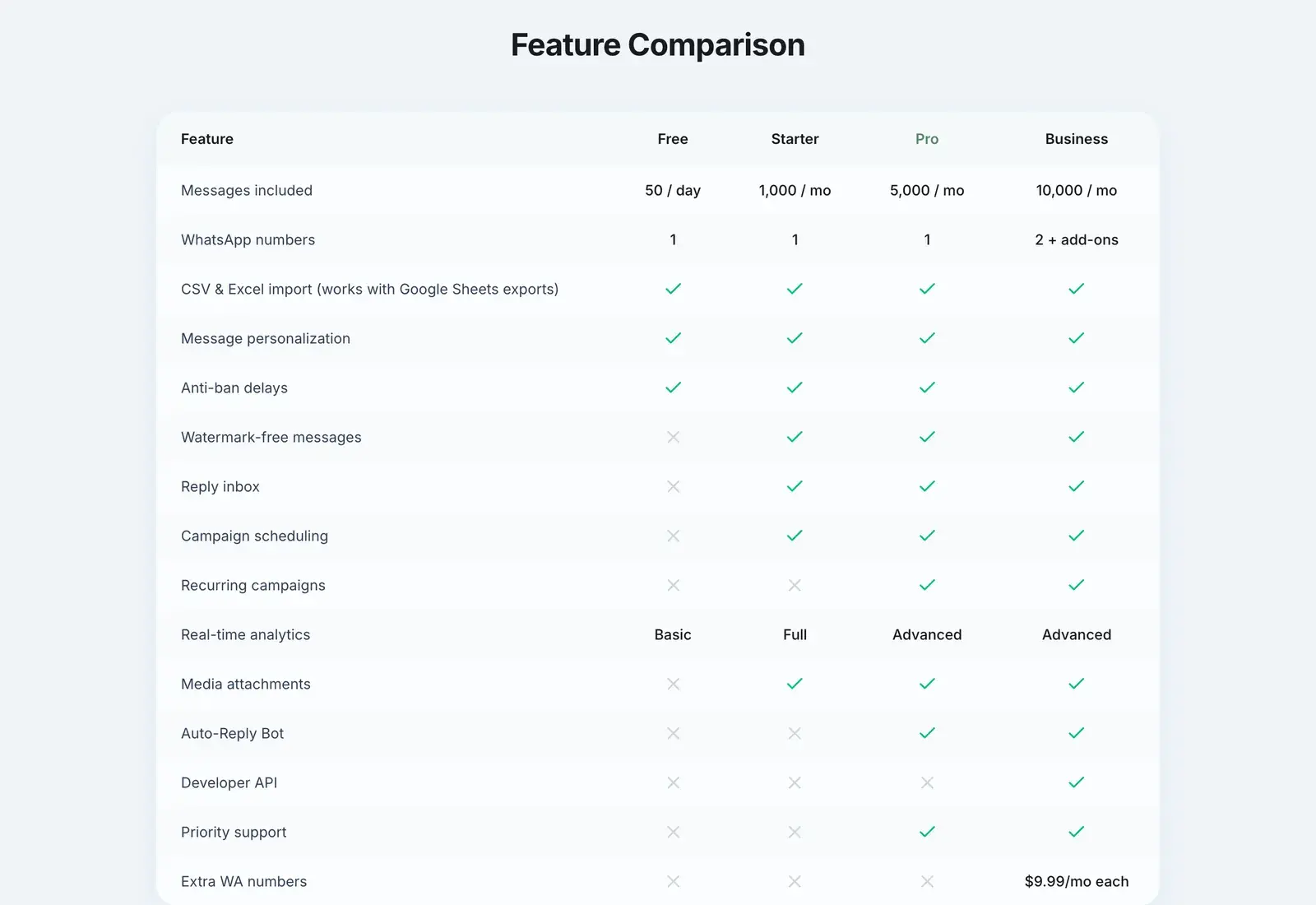
One-time scheduling is on Starter and above; recurring campaigns are on Pro and above. Compare them on the pricing page.
A few mechanics worth knowing:
- Time zones. The time you pick is read in your browser's local time zone. There is no per-contact time zone, so if your contacts live in different regions, split them into separate campaigns.
- Your browser can be closed. BulkWA's server starts the campaign on time. Your number has to stay linked, though, so keep the phone charged and online regularly.
- Hiccups are handled. If the connection is briefly reconnecting at send time, the campaign retries shortly. If one run of a recurring campaign fails, it skips to the next occurrence and records the error, rather than stopping for good.
- It does not all arrive at once. Messages go out one by one with a random 8–20 second gap, about 14 seconds on average. A list of 300 takes over an hour, so schedule the start early enough.
Before you schedule a big send, test the campaign on your own number first.
What Are the Risks of Scheduled WhatsApp Sending?
Scheduling changes when a message goes out, not how WhatsApp judges it. Be honest with yourself about these:
- The connection is unofficial. A QR-based tool like BulkWA is not the official Business API. If WhatsApp restricts the number, it is your number that suffers.
- Opt-in only. Message people who asked to hear from you. Reports from recipients are the fastest way to a ban, and a scheduled message to strangers gets reported like any other.
- Keep the delays. The default random 8–20 second gap exists for a reason. Do not tighten it to finish faster.
- #171c1f] font-semibold">Warm up new numbers. A number that has never sent in volume should start small and build up over days. See our [number warm-up guide.
- #171c1f] font-semibold">Personalise. Hundreds of identical messages look automated. Use {Name} and one relevant detail; our guide to [personalizing bulk messages has examples.
- Make leaving easy. End with "Reply STOP to stop these messages". BulkWA unsubscribes anyone who replies STOP.
Recurring campaigns deserve extra care: a weekly message that nobody asked for is a weekly reason to report you. The full list is in our anti-ban rules.
Where BulkWA Fits
If you want to wish one friend a happy birthday at midnight, use an iPhone Shortcut or set a reminder. You do not need software for that.
BulkWA fits when the message goes to a list: appointment reminders, a weekly menu, a class timetable, an offer you want to land on Thursday at 10am while you are busy with something else. You pair your own number, import a spreadsheet, personalise the text and schedule it once, or set it to repeat on Pro. Replies come back to one inbox on Starter and above, and STOP is handled for you.
The free plan gives you one number and 50 messages a day, with a "Sent via BulkWA" note on campaign messages, which is enough to try the workflow, though scheduling itself starts on Starter at $9 a month ($7 billed annually). Look through the features, check the pricing, or browse all free tools, including the WhatsApp link & QR generator for collecting opt-ins.
What we will not claim: that this is officially approved by WhatsApp. It is not. Schedule messages only to people who expect them, keep the gaps human, and the scheduling part takes care of itself.
Frequently Asked Questions
Can you schedule a WhatsApp message on iPhone?+
Partly. WhatsApp itself has no schedule button, but the Shortcuts app can run a Time of Day personal automation that uses WhatsApp's Send Message action. Depending on your iOS and WhatsApp versions, it may ask you to confirm or need the phone unlocked, so it is closer to a reminder that does most of the typing than a true unattended send. Turn the automation off after a one-time message.
Does WhatsApp Business have a schedule message feature?+
Not for arbitrary messages, as of this writing. The WhatsApp Business app has greeting messages, away messages with a schedule for your closed hours, and quick replies. All of them answer people who message you first. None of them lets you write a message today and have it start a conversation with a customer next Tuesday at 10am. Check your app version, because features change.
Are Android apps that schedule WhatsApp messages safe?+
Treat them with caution. Most work by asking for Accessibility permission, which lets the app read what is on your screen and tap buttons for you, in every app, not only WhatsApp. That is a lot of trust to give a small developer. They also usually need the phone awake and unlocked at send time, and automating the WhatsApp app is unofficial, so the risk sits on your number.
Does my phone need to be on for a BulkWA scheduled campaign to send?+
Your browser does not need to be open, because BulkWA's server starts the campaign at the scheduled time. Your number does need to stay linked, the way WhatsApp Web stays linked. If the connection is briefly reconnecting, the send retries shortly. Keep the phone charged and online regularly, since WhatsApp can log out linked devices when the main phone has been inactive for a long time.
What time zone does a scheduled BulkWA campaign use?+
The date and time you pick are read in your browser's local time zone and stored as one exact moment. There is no per-contact time zone, so a contact in another country receives the message at that same moment in their local time. If your list spans regions, split it into one campaign per region and schedule each one for a sensible local hour.
Ready to Try BulkWA?
Send bulk WhatsApp messages with personalized templates. Free to start, no credit card required.
Get Started Free