How to Send WhatsApp Messages from Your Own Software (Simple API)
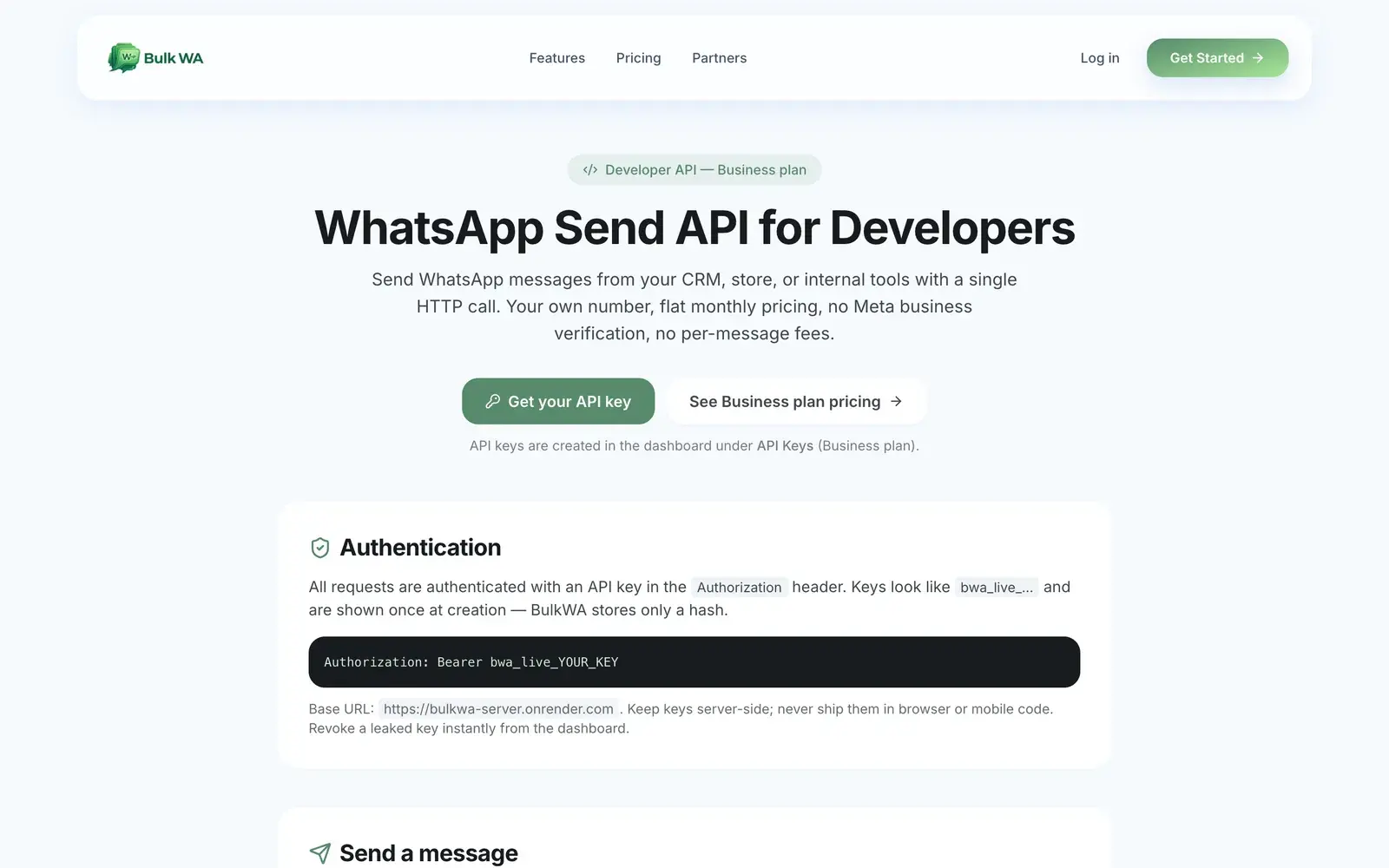
Send WhatsApp from your CRM, store or internal tool with a single HTTP call — no Meta verification, no per-conversation fees. The request, the response, the error codes, and where this stops.
Quick answer
You can send WhatsApp messages from your own software with a single HTTP POST to a bulk sender's API, authenticated with an API key: BulkWA's endpoint is POST /v1/messages with a recipient number and a message body, sending from your QR-connected number with no Meta business verification and no per-conversation fees. It is available on the Business plan, sends are spaced with anti-ban delays automatically, and STOP opt-outs are honoured server-side.
Your order system knows when a parcel ships. Your booking tool knows when an appointment is tomorrow. Your CRM knows when a quote went out. Each of those moments is a WhatsApp message that should send itself — and each one is currently a human copying details into a phone.
Here is how to make your own software send the message, with one HTTP call, from your own number, without the Meta approval process.
What You Are Integrating With
There are two kinds of WhatsApp API:
Meta's official Business API, reached through a Business Solution Provider. Officially sanctioned, verified badge, no ban risk when you follow policy — and requires business verification, a dedicated number, template approval for every outbound message, a platform subscription and per-conversation fees.
A QR-based sender's API, like BulkWA's. It sends from a number you paired by scanning a QR code, so there is nothing to apply for: create an API key, make a request, the message goes out from your number. Flat monthly price, no per-message fees.
The second is what this guide covers. The honest framing, stated up front: it is unofficial, and the ban risk sits on the connected number. The API applies the same safeguards as the dashboard — randomized delays, STOP suppression — but the same rule applies: send to people who opted in.
Authentication
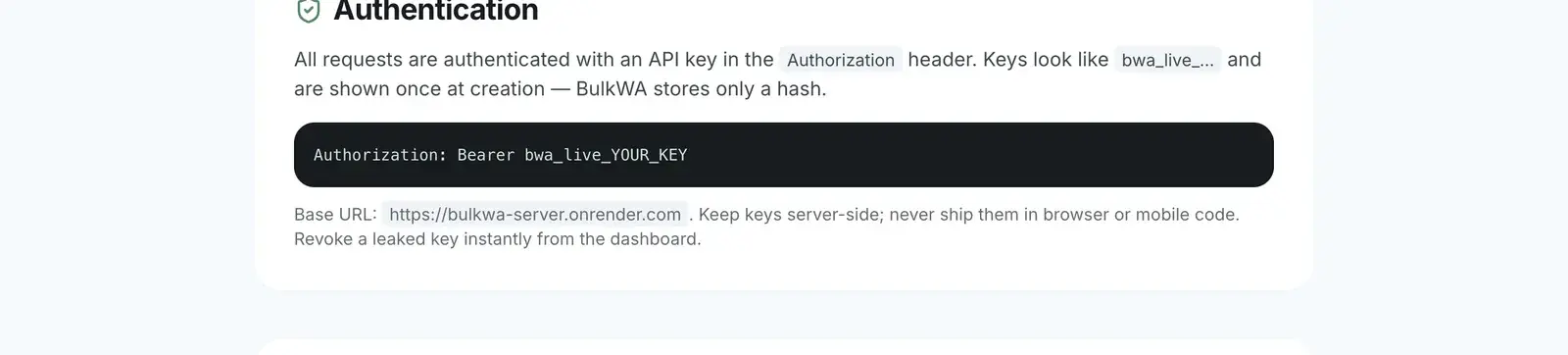
Every request carries an API key in the Authorization header:
- Create the key in the dashboard under API Keys (Business plan).
- It looks like bwa_live_… and is shown once. BulkWA stores only a hash.
- Send it as: Authorization: Bearer bwa_live_YOUR_KEY
- Keep it server-side. Never ship it in browser JavaScript or a mobile app.
- Revoke and recreate it from the dashboard any time.
Sending a Message
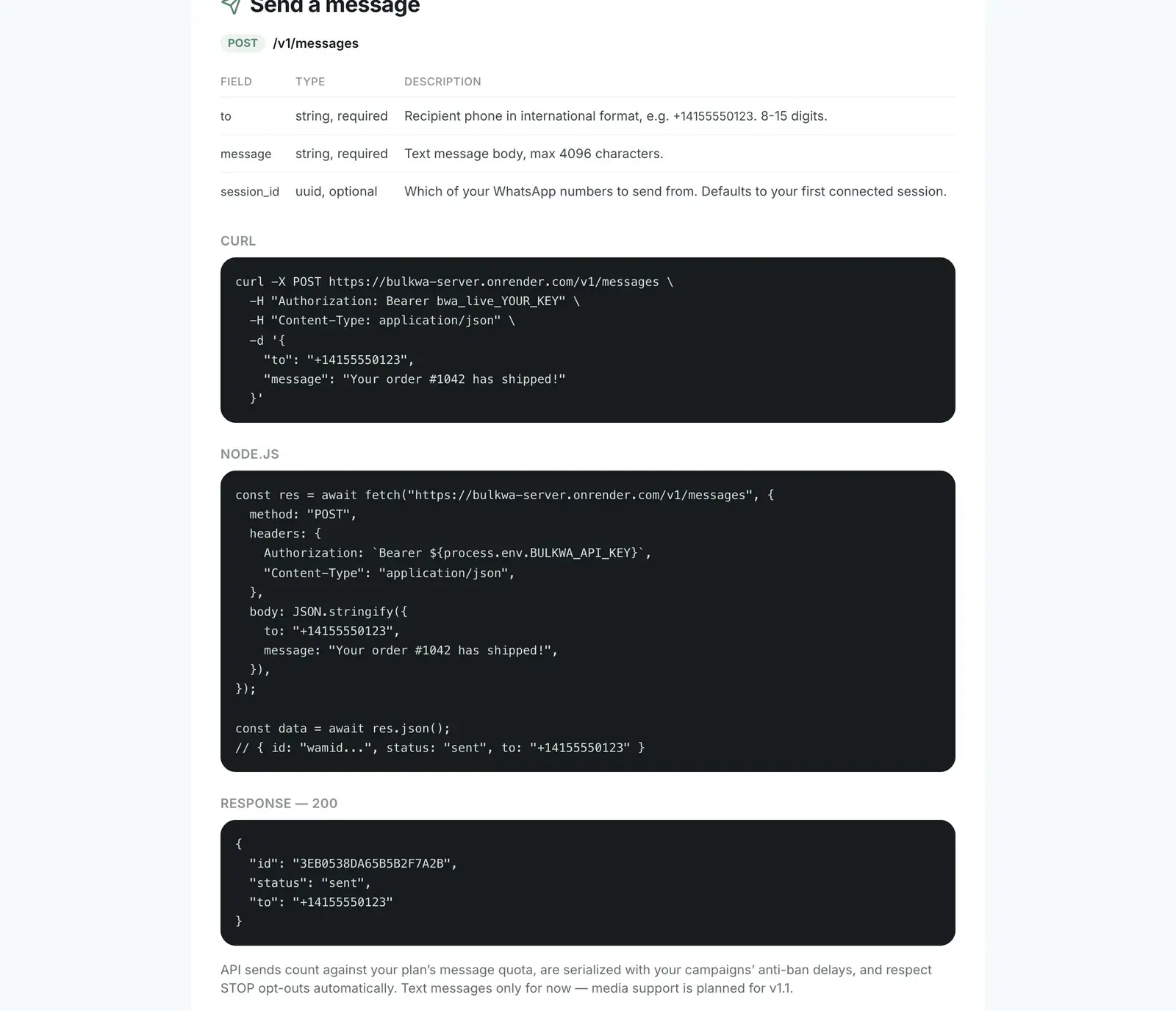
One endpoint: POST /v1/messages, JSON body with:
| Field | Type | Notes |
|---|---|---|
| to | string, required | Recipient in international format, digits only, e.g. 14155551234 |
| message | string, required | Text body, up to 4,096 characters |
| session_id | uuid, optional | Which connected number to send from; defaults to your first |
A minimal call from a shell:
curl -X POST https://bulkwa-server.onrender.com/v1/messages -H "Authorization: Bearer bwa_live_YOUR_KEY" -H "Content-Type: application/json" -d '{"to":"14155551234","message":"Your order #1042 has shipped!"}'
And the response on success is a 200 with the message id, the status, and the recipient — enough to record against the order in your system.
Two useful companions:
- GET /v1/sessions — lists your connected numbers with their status, so your software can pick one or check it is online before sending.
- GET /v1/me — your plan and usage: messages sent this month, monthly limit, remaining, and today's count. Poll it to stay inside quota rather than discovering the limit from a 429.
The Error Codes That Matter
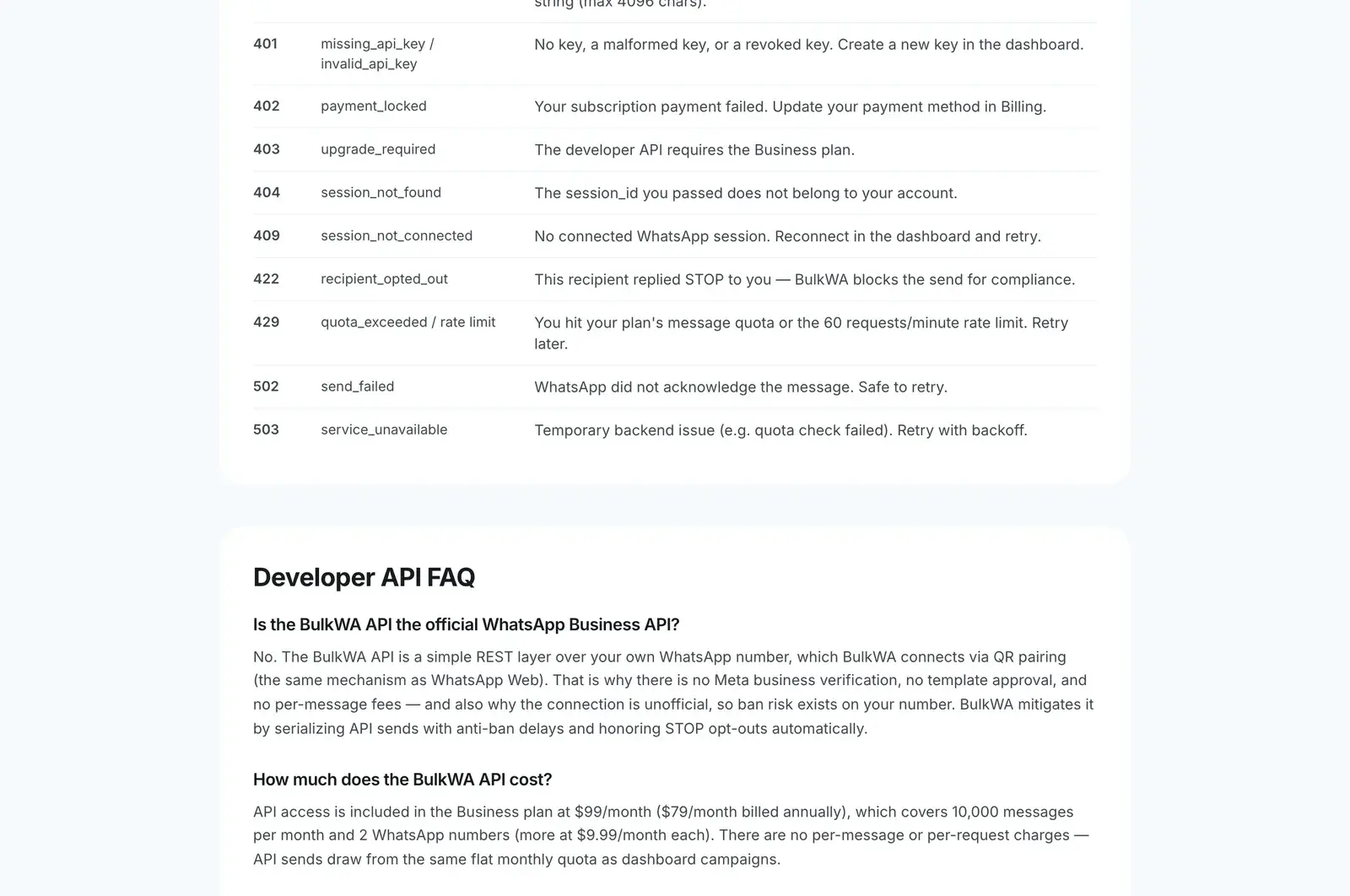
Every error is JSON with a code and a plain-English explanation. The ones to handle explicitly:
- 409 session_not_connected — your number's link dropped. Reconnect in the dashboard and retry. Design your integration to queue, not to fail permanently.
- 422 recipient_opted_out — the person replied STOP. Do not retry; mark them unsubscribed in your own system too. This is the API protecting your number from your own code.
- 429 quota_exceeded / rate limit — you hit the monthly quota or the 60-per-minute ceiling. Back off.
- 402 payment_locked — a failed subscription payment. Fix billing.
- 502 send_failed — WhatsApp did not acknowledge. Safe to retry after a delay.
Handle 409, 422 and 429 deliberately and the integration will be robust.
Pacing: What the API Does For You
You do not need to implement anti-ban spacing yourself. Sends through the same connected number are automatically queued and spaced with BulkWA's randomized delays, so a burst of 200 order confirmations at 9am goes out over the following minutes rather than instantly — which is the behaviour that keeps the number healthy. Bursts are queued, never dropped.
The account-level rate limit is 60 requests per minute; that is the request rate, separate from the send spacing.
Where BulkWA Fits
The API is part of BulkWA's Business plan: $99 a month ($79 annually), 10,000 messages, two connected numbers with more at $9.99 each, and the same monthly quota shared between API sends and dashboard campaigns. It is deliberately small — one send endpoint, two lookups — because most integrations need exactly that: "when X happens in my system, send this message from my number."
Text only for now, 4,096 characters, with media planned. Everything else — delays, STOP suppression, session handling — is done for you.
If you want the official badge, chatbot flows and CRM-grade integrations, Meta's API through a provider is the correct choice. If you want your order system to send a WhatsApp message tonight, this is a fifteen-minute job.
Frequently Asked Questions
Can I send WhatsApp messages via API without Meta approval?+
Yes, through a QR-based sender's API. BulkWA exposes a REST endpoint that sends from a WhatsApp number you paired by QR code, so there is no Business Solution Provider, no Meta business verification and no template approval. The trade-off is the same as any QR-based sending: it is unofficial, and ban risk sits on the connected number.
How much does a WhatsApp send API cost?+
Meta's official API charges a platform subscription plus per-conversation fees that vary by country and category. BulkWA's API is included in the Business plan at $99 a month ($79 billed annually), which covers 10,000 messages a month and two connected numbers, with no per-message or per-conversation charge. API sends draw from the same monthly quota as dashboard campaigns.
What does the API do about rate limits and bans?+
BulkWA allows 60 requests per minute per account, and messages through the same number are automatically spaced with the same randomized anti-ban delays as campaigns — bursts are queued, not dropped. If a recipient has replied STOP, the API refuses the send with a 422 recipient_opted_out error, so your software cannot accidentally message someone who unsubscribed.
Can the API send images or files?+
As of now the BulkWA API sends text messages up to 4,096 characters; media attachments through the API are planned. Media is supported in dashboard campaigns on paid plans. If your integration needs media today, generate the message from your system and attach the file in a dashboard campaign, or check the API docs page for the current status.
Ready to Try BulkWA?
Send bulk WhatsApp messages with personalized templates. Free to start, no credit card required.
Get Started Free