Why WhatsApp Broadcast Messages Don't Reach Everyone (and Fixes)
TL;DR
A WhatsApp broadcast only reaches people who have saved your number in their phone contacts; everyone else silently never gets it. Lists are also capped at 256 recipients. Open the broadcast chat, long-press the message and tap Info to see who it was delivered to. Ask the missing people to save your number, then resend.
Short answer: a WhatsApp broadcast list only delivers to people who have saved your number in their phone contacts. Everyone else is skipped silently. You get no error, the broadcast looks sent, and those people just never see it. Add the 256-recipient cap per list and you have the two reasons behind most "my broadcast didn't reach everyone" complaints.
This guide is about finding out who missed your broadcast and fixing each cause. If you are still choosing between broadcast lists and groups, our broadcast list vs group comparison covers that. If the problem is a single one-to-one message stuck on one tick, see what one grey tick actually means.
Why Does a Broadcast Skip People Who Haven't Saved My Number?
It is a deliberate rule, and WhatsApp states it in its own help centre: only contacts who have added your number to their address book will receive your broadcast message. It works as an anti-spam filter. A broadcast list can only include people from your contacts, and the saved-number rule adds the check from their side, so both people have to know each other.
Some details that catch people out:
- Having them saved isn't enough. You saving them is required to add them to the list. They saving you is required for delivery. Both have to be true.
- Chatting before doesn't count. Someone you message every week still won't get your broadcast if your number isn't in their address book.
- The format of the saved number matters. If a contact in another country saved your number without your country code, their phone reads it as a local number. To WhatsApp that is a different number, so it doesn't count as having you saved. This explains a lot of "but they have saved me" cases.
- A changed number resets everything. If you moved to a new number, every recipient has to save the new one.
How Do I Check Who Actually Received My Broadcast?
You don't have to guess. WhatsApp shows per-recipient status on broadcast messages:
- Open the broadcast list chat (not an individual chat).
- Long-press the message on Android, or swipe left on it on iPhone, and tap Info.
- The info screen lists recipients under Read by and Delivered to.
Anyone missing from both lists has not received it. Exact labels vary a little between app versions and between Android and iPhone, and some versions also show the people still pending. If someone is absent from Info days later, assume they haven't saved your number, or saved it in the wrong format, and check that first.
What Else Stops a Broadcast From Arriving?
Not saving your number is the most common cause. These are the others, from diagnosis to fix:
| Symptom | Likely cause | Fix |
|---|---|---|
| Some contacts get it, others never do | The missing ones have not saved your number | Ask them to save it, then resend to them |
| They say they saved you but still nothing | Saved without your country code, or an old number | Ask them to re-save it as +country code and number |
| You cannot add anyone past a certain point | Broadcast lists stop at 256 recipients | Split your audience across several lists |
| One person stays on one grey tick for days | Phone offline, WhatsApp uninstalled, number changed, or you are blocked | Wait, then test with a single one-to-one message |
| A contact will not appear when building the list | You saved them without a country code, or they are not on WhatsApp | Re-save them in full international format |
| Nobody receives anything, even saved contacts | Your account is restricted, or your phone has no connection | Check for a restriction notice and stop sending |
| Two grey ticks but they say they never saw it | Chat is archived or muted on their phone | Nothing to fix; delivery worked |
| Delivered but never turns blue | Read receipts turned off, or simply not opened yet | No way to tell the difference |
The last two rows aren't delivery failures. An archived or muted chat still receives the message. It just doesn't stand out on their phone. Read receipts that are turned off hide whether someone read it, never whether it arrived.
How Do I Fix It? Step by Step
Step 1: Get Recipients to Save Your Number
This fixes most cases, and it's the only fix that keeps you inside the broadcast list feature. Make saving you as easy as possible:
- Send a short "save our number" message one-to-one, or ask in person or at checkout: "Save this number as [Business Name] so you get our updates."
- Share your contact card. In any chat, attach a contact and pick your own number. They tap it and save it in one step.
- Show your WhatsApp QR code. Your profile QR code (next to your name in Settings) lets someone scan it and add you as a contact. Print it at the counter or on receipts.
- #171c1f] font-semibold">Use a wa.me link on your website or social profiles. It opens a chat with you, though they still need to tap to save the number. It doesn't save it automatically. Our free [WhatsApp link & QR generator builds the link and a printable QR code for it.
Once they've saved you, resend to just them. Messages they missed won't show up later because they saved you. Delivery is decided when you send.
Step 2: Split Lists Over 256
If your audience is bigger than 256, create several lists, such as Customers A–M and N–Z. Keep each person on one list only, or they'll get the same message twice. Every list still only delivers to people who saved you.
Step 3: Fix Number Formats on Both Sides
Save your contacts in full international format: plus sign, country code, and no leading zero. A UK number becomes +44 7700 900123, not 07700 900123. Ask recipients in other countries to save yours the same way. Fixing your own address book also fixes contacts who won't show up when you build a list.
Step 4: Rule Out a Restriction
If even people who definitely saved you aren't receiving anything, check your own account. WhatsApp can temporarily limit accounts it flags for spam, for example after many reports or blocks. The app usually shows a notice when this happens, but WhatsApp doesn't publish exact triggers or how long limits last. If you see one, stop broadcasting completely until it lifts. Sending more makes it worse. Our guide to daily message limits covers what is and isn't documented.
What If I Switch to a Bulk Sender Instead?
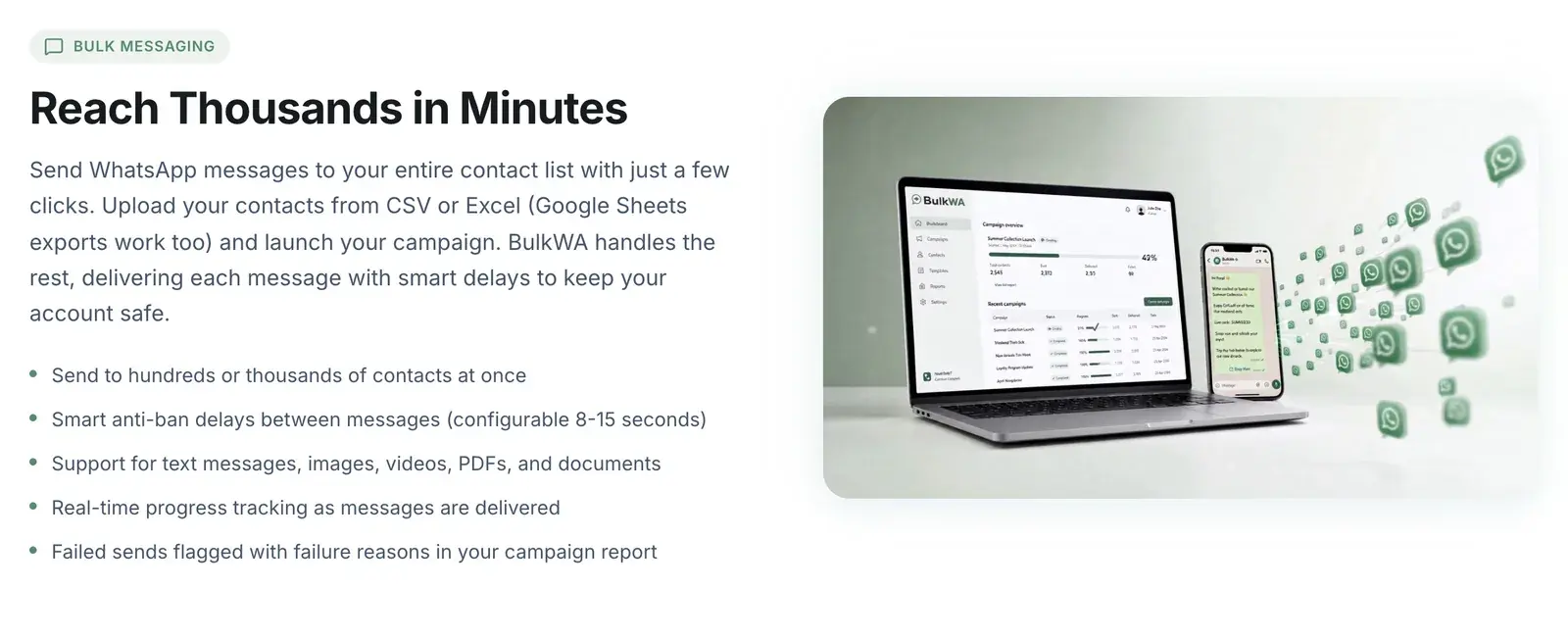
A bulk sender works differently. Tools like BulkWA pair with your own number by QR code, the same way WhatsApp Web does, and send each message individually, like a normal one-to-one chat. So:
- Recipients don't need to have saved your number. It's an ordinary message to them.
- There's no 256 cap. You import a CSV or Excel list and the campaign works through it.
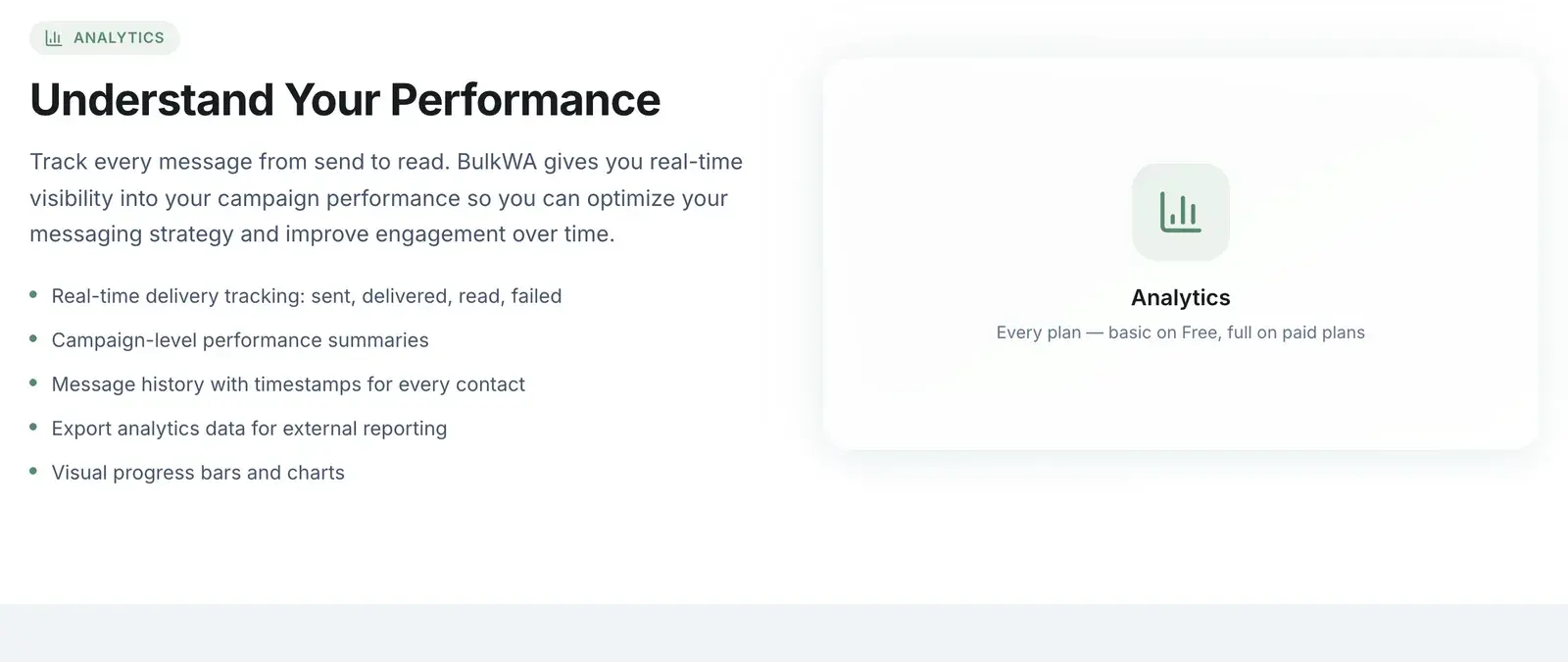
- #171c1f] font-semibold">You get per-recipient status. Sent, delivered, read or failed for every number, with failure reasons such as "not on WhatsApp". Our guide to [tracking campaign delivery explains how to read it.
We cover the mechanics in sending WhatsApp without saving contacts.
The Honest Risk of Removing the Saved-Contact Filter
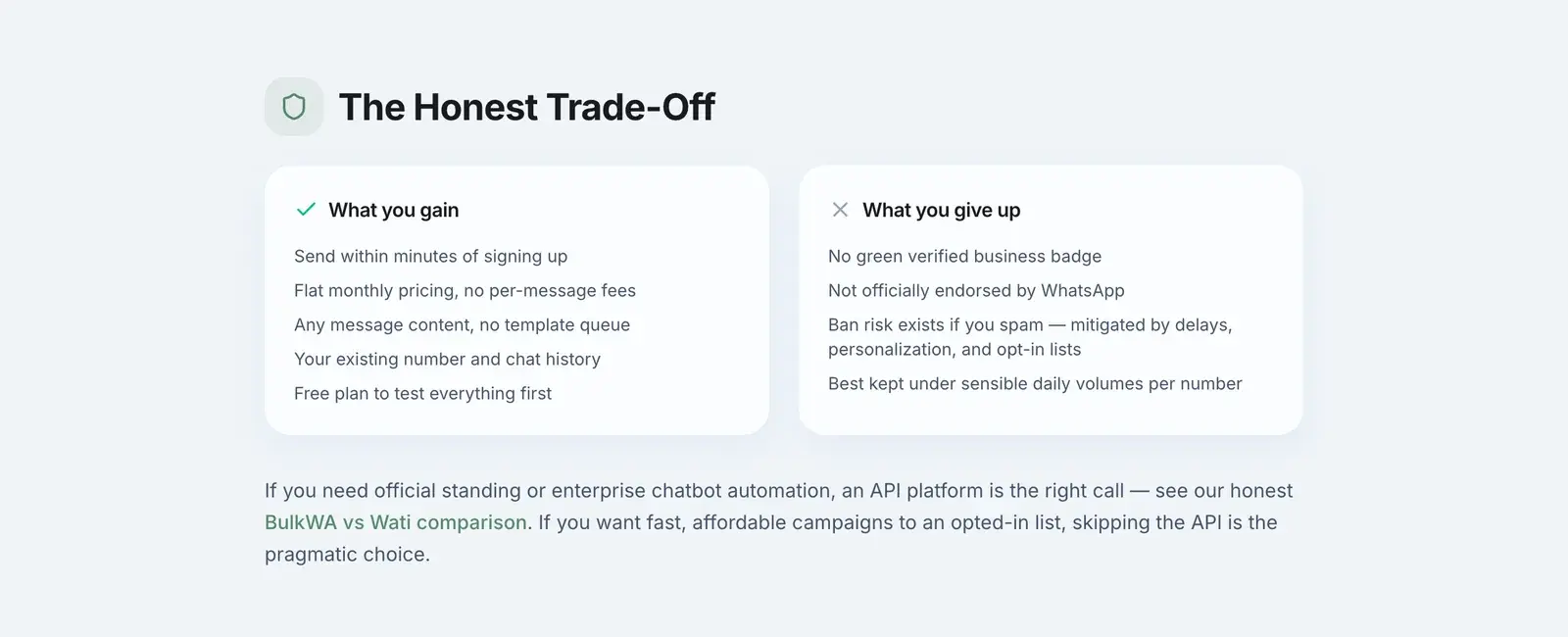
The saved-contact rule frustrates people for exactly the reason it exists: it guarantees every recipient already knows you. Remove it and you can reach strangers, and strangers are the people who tap Report. Reports and blocks are among the strongest signals WhatsApp uses to restrict a number. That risk sits on your number, not on the tool.
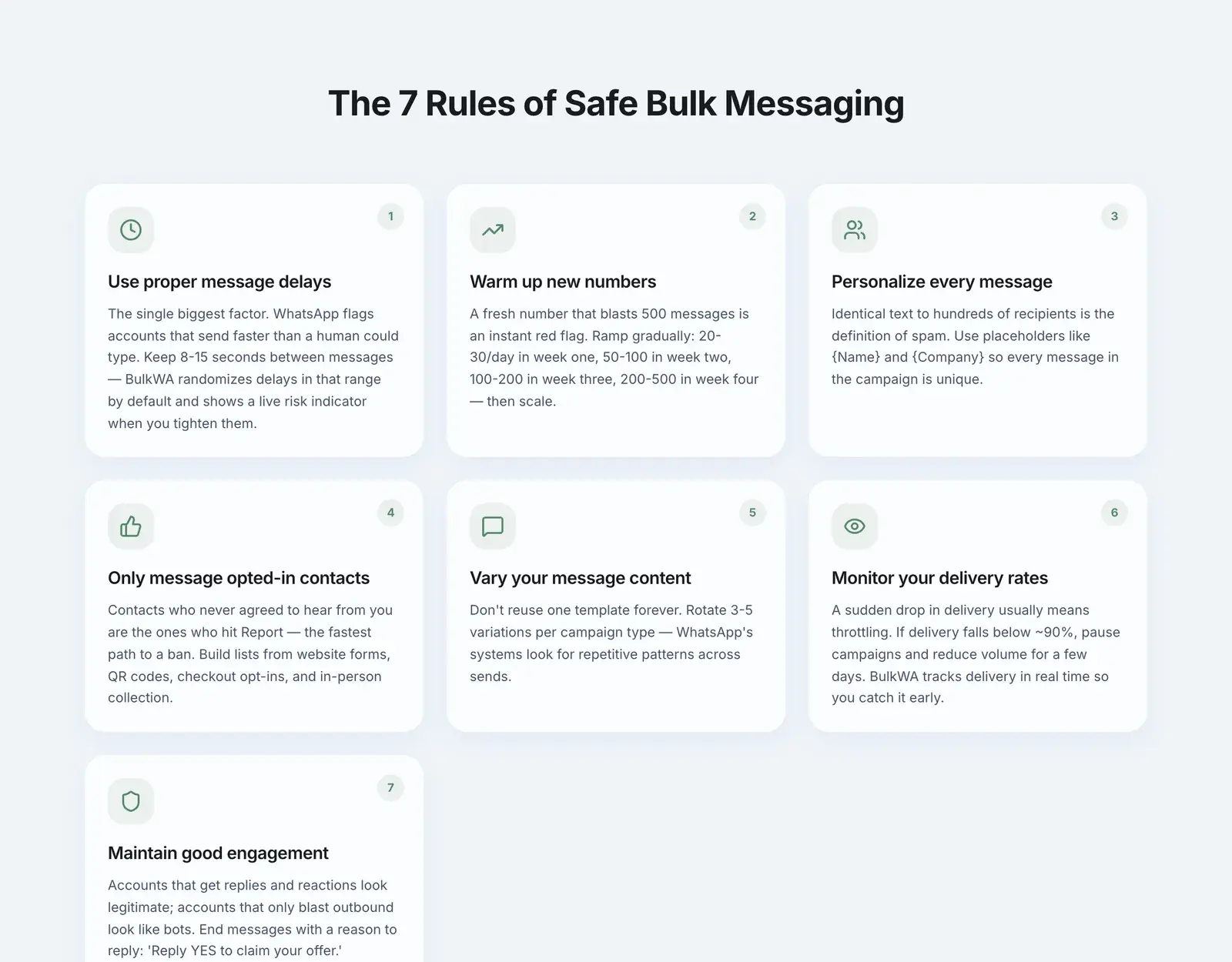
If you go this route, follow our anti-ban rules:
- Opted-in contacts only. People who gave you their number and agreed to hear from you.
- Randomized 8–20 second delays between messages. BulkWA uses this range by default.
- Warm up new numbers. Roughly 20–30 messages a day in week one, rising gradually over a month.
- Personalize with placeholders like {Name} so no two messages are identical.
- Honor opt-outs. BulkWA records STOP replies, and future campaigns skip those numbers.
No tool can guarantee you won't be banned. Anyone who promises that is selling something.
Where BulkWA Fits
If your list is under 256 people and they've all saved your number, a broadcast list is free and fine. Fix the saved-number problem with the steps above and keep using it.
BulkWA makes sense when you've outgrown that: a list in a spreadsheet, more than 256 people, or a need to know exactly who received what. It sends from your own number with randomized delays, personalization, scheduling, a reply inbox, follow-ups and per-recipient delivery status. See the full list on our features page.
The free plan is $0 with 50 messages a day and no card required. Campaign messages carry a small "Sent via BulkWA" note. Paid plans start at $9/month for 1,000 messages ($7 billed annually). Pro is $29.99 for 5,000 and Business is $99 for 10,000 with two numbers. Details are on pricing. If you'd rather not connect anything, the free wa.me sender tool opens pre-filled chats one at a time from your browser.
To try the real thing, create a free account, pair your number, and send a small test to people who already know you.
Frequently Asked Questions
Why did only some of my contacts receive my WhatsApp broadcast?+
Almost always because the others have not saved your number in their phone's address book. WhatsApp only delivers broadcast messages to recipients who have your number saved as a contact; for everyone else the message is simply not delivered, with no error shown to you. Ask the missing contacts to save your number, check they saved it with the correct country code, then send the broadcast again.
Why does my WhatsApp broadcast show only one tick?+
A single grey tick on a broadcast usually means it has not been delivered to at least some recipients yet. The most likely reason is that those recipients have not saved your number, so it will never deliver to them. Other reasons are a recipient's phone being offline, a changed or deactivated number, or being blocked. Long-press the message and tap Info to see exactly who it reached.
How many people can I add to a WhatsApp broadcast list?+
WhatsApp's help centre puts the limit at 256 recipients per broadcast list, and this applies to both the standard WhatsApp app and the free WhatsApp Business app. You can create several lists to cover a larger audience, but each list still only delivers to people who have saved your number. If you need to message more people individually, a bulk sender sends one message at a time instead.
Will my broadcast reach someone who has archived or muted my chat?+
Yes. Archiving or muting only changes how the chat appears on the recipient's phone; the message is still delivered, and you will normally see two ticks. Depending on their settings, an archived chat may stay archived when new messages arrive, so they may simply not notice it. That is a visibility issue, not a delivery failure, and there is nothing to fix on your side.
Do recipients need to save my number if I use a bulk sender instead?+
No. A QR-based bulk sender such as BulkWA sends each message individually from your own number, like a normal one-to-one chat, so the saved-contact rule and the 256 cap do not apply. The catch is that people who do not know you are the ones most likely to report you as spam, so this only works safely with an opted-in list, paced sending and an easy way to opt out.
Ready to Try BulkWA?
Send bulk WhatsApp messages with personalized templates. Free to start, no credit card required.
Get Started Free