How to Send Bulk WhatsApp Messages From Google Sheets
TL;DR
Google Sheets can't send WhatsApp messages by itself, and BulkWA has no live Sheets connection. Download the sheet as CSV or Excel (.xlsx), import it into a bulk sender, map the phone and name columns, and send with random gaps. For a few contacts, a wa.me HYPERLINK formula lets you click-send each one free.
Google Sheets is where a lot of contact lists live: event sign-ups, customer orders, class rosters. Sooner or later someone asks how to message all of them on WhatsApp straight from the sheet.
The honest answer is that Sheets cannot send WhatsApp messages by itself. Something has to sit between the sheet and WhatsApp. This guide covers the four realistic options, from a free formula to a scripted API call, and the step-by-step path we recommend for most people.
Can Google Sheets Send WhatsApp Messages Directly?
No. Sheets has no WhatsApp feature, and WhatsApp has no Sheets integration. Your choices are:
- Export and import. Download the sheet as a file and upload it to a bulk sender.
- wa.me links. Build click-to-chat links with a formula and send each message by hand.
- Apps Script or add-ons that drive WhatsApp Web. Automated, unofficial and risky.
- Apps Script with the official Cloud API. Sanctioned, but needs developer setup and per-message fees.
To be clear about BulkWA: it does not connect to Google Sheets live. It imports CSV and Excel files, and a Sheets export is one of those.
Which Method Should You Use?
| Method | Cost | Automated? | Ban risk | Best for |
|---|---|---|---|---|
| Export to CSV or Excel, import into a bulk sender | Free plan, or from $9 a month | Yes, with random gaps | Moderate, unofficial connection | Recurring sends to an opted-in list |
| wa.me HYPERLINK formula | Free | No, one click per contact | Lowest | Under about 50 contacts |
| Apps Script or add-on driving WhatsApp Web | Usually free or a small fee | Yes | High, plus broad sheet permissions | Not recommended |
| Apps Script plus official Cloud API | Meta per-message fees | Yes | Low if templates are approved | Developers who need the official route |
| Apps Script plus BulkWA REST API | Business plan, $99 a month | Yes, server spaces sends 8–20 s apart | Moderate, unofficial connection | Developers who want sheet-triggered sends |
How Do You Send From Google Sheets With a Bulk Sender?
This is the path most people want: one message per row, personalised, sent automatically.
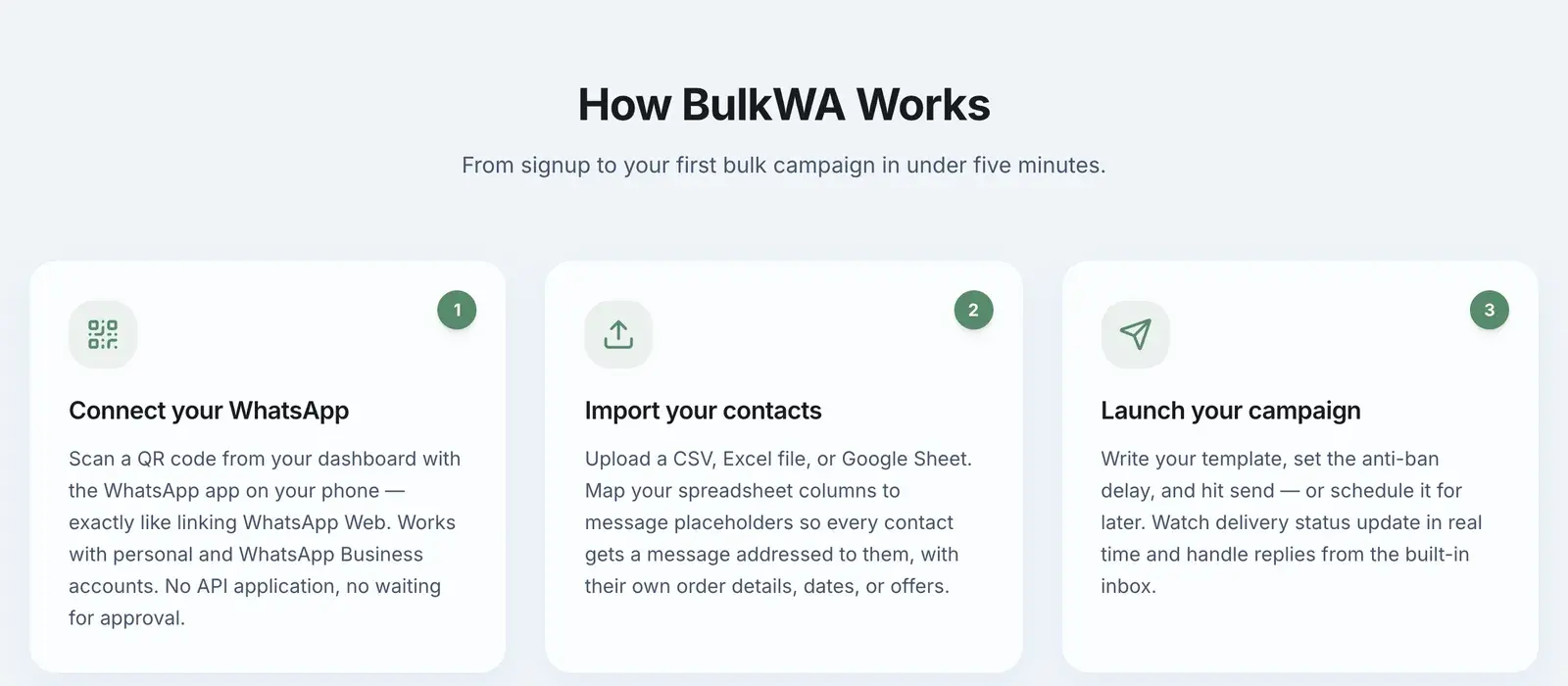
- Tidy the sheet. Put headers in row 1 and one contact per row. Give the phone column a clear name like Phone or Mobile so it is mapped automatically.
- Fix the phone column. Every number needs its country code: 447700900123, not 07700 900123. Spaces, dashes, brackets and a leading + are fine. Set the column to Format, Number, Plain text so long numbers are not shown in scientific notation.
- Download the file. File, Download, then Comma-separated values (.csv) for the current tab, or Microsoft Excel (.xlsx). BulkWA reads only the first sheet of an .xlsx, so put your list on the first tab.
- Upload it. In BulkWA, open Contacts, Import, and drop the file in. It accepts .csv and .xlsx, and also .tsv and .txt. Old .xls files are refused; save as .xlsx instead.
- Map the columns. Pick the phone and name columns. Every other column is kept and becomes a placeholder, so an OrderID column becomes {OrderID}.
- Check the preview. BulkWA validates every row before importing and shows which ones fail and why.
- Write the message and send. Add placeholders, then launch. Messages go out one by one with a random 8 to 20 second gap. On Starter and above you can schedule the campaign for later.
Our CSV and Excel import guide goes deeper on the import screen itself.
How Should You Lay Out the Sheet?
A layout that imports cleanly:
| Name | Phone | OrderID | PickupDate |
|---|---|---|---|
| Maria | 34612345678 | A-1042 | Friday |
| James | +44 7700 900123 | A-1043 | Saturday |
| Priya | 919812345678 | A-1044 | Friday |
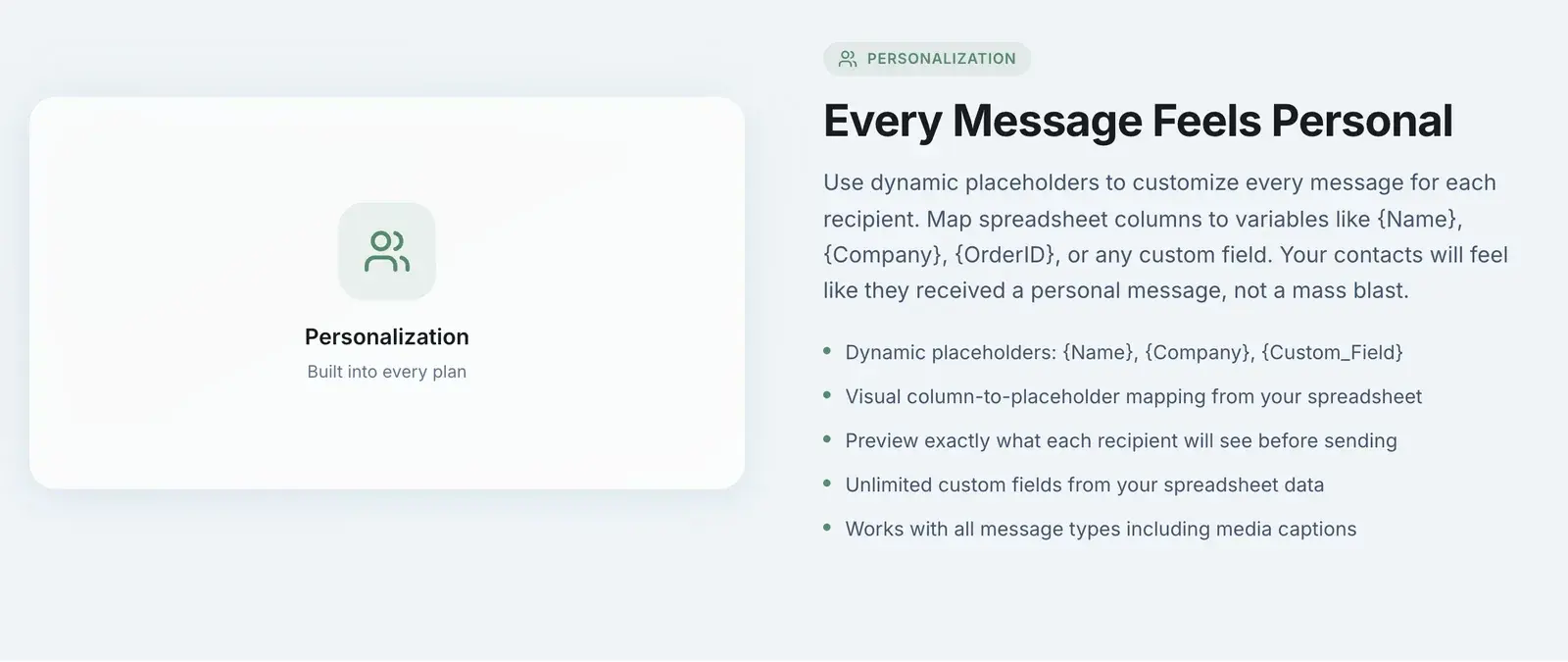
With that sheet, "Hi {Name}, order {OrderID} is ready for pickup on {PickupDate}" fills in for each row. Placeholders match column headers without caring about capital letters. A blank cell leaves its placeholder empty, so fill the gaps or write around them. More ideas are in how to personalise bulk WhatsApp messages.
What Happens to Bad Rows?
From the importer's code, not from a marketing page:
- Cleaned automatically: spaces, dashes, brackets, a leading + and a leading 00 are stripped, leaving digits only.
- Skipped as invalid: empty phone cells, anything under 7 digits, numbers starting with 0 (no country code), and values like 9.72501E+11 where digits are already lost.
- Skipped as duplicates: if a number appears twice, the first row wins. Numbers already in your contacts are not added again.
There is no row cap in the importer; contacts upload in batches of 200. Sending is limited by your plan. If your sheet has local numbers from one country, the free WhatsApp number list cleaner can add the country code for you. It runs in your browser and gives you a clean CSV plus a file of rejected rows with the reason for each.
How Do You Make wa.me Links With a Formula?
For a small list, you do not need any software. With numbers in column A and first names in column B, put this in C2 and fill it down:
=HYPERLINK("https://wa.me/"&A2&"?text="&ENCODEURL("Hi "&B2&", your order is ready."), "Send")Clicking a link opens WhatsApp with the message typed in; you press send. The number in column A must be digits only with the country code, no + or spaces. ENCODEURL turns spaces and accents into a link-safe form.
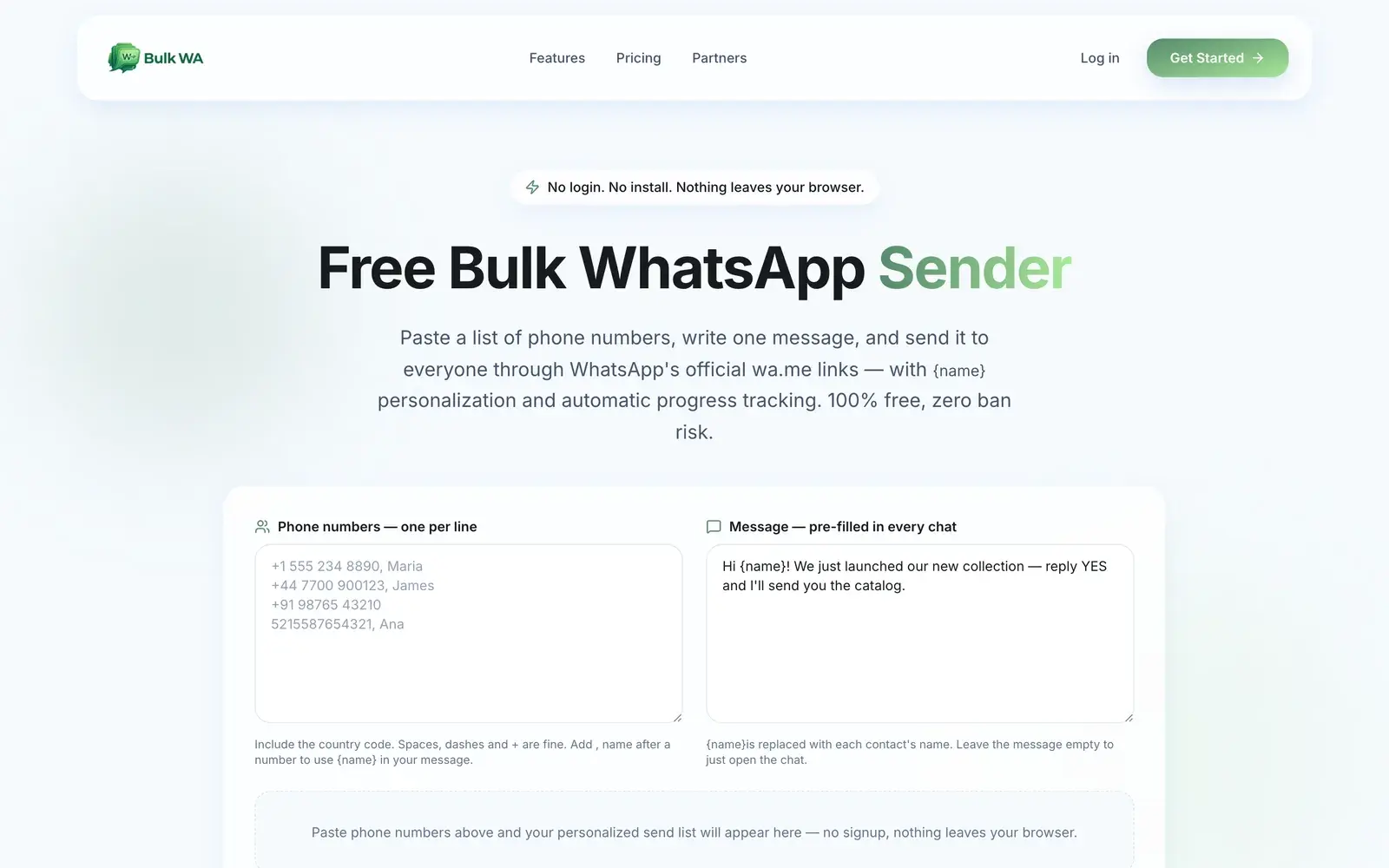
If you would rather skip the formula, paste your numbers into the free bulk sender and it builds the same click-to-send links. The free message templates help with wording. This also works for people who have not saved your number, covered in sending WhatsApp without saving contacts.
What About Apps Script, Add-ons and the API?
- Add-ons and scripts that automate WhatsApp Web. They typically ask for access to your spreadsheets and a WhatsApp Web session, then send in a loop. It is unofficial automation, often with little control over speed, and the ban risk falls on your number. We do not recommend them.
- #171c1f] font-semibold">Apps Script and the official Cloud API. A developer can call Meta's API with UrlFetchApp. You need a Meta business setup, approved templates and you pay per message. Compare the two routes in [BulkWA vs the WhatsApp Business API.
- #171c1f] font-semibold">Apps Script and BulkWA's REST API. On the Business plan, a script can POST each row to the messages endpoint. This is possible, not a built-in Sheets feature. The server spaces API sends on a number a random 8 to 20 seconds apart, and a request waits up to 20 seconds for its slot; beyond that it returns a 429 "paced" response with a Retry-After header and sends nothing. So have the script send one request at a time, wait for each response, and back off on a 429. Apps Script executions have a maximum runtime, so batch large lists across several runs. Recipients who replied STOP are refused by the API. See [sending WhatsApp from your software.
What Are the Risks?
Any QR-based sender, BulkWA included, uses an unofficial connection, not the WhatsApp Business API. The risk sits on the number you link. What keeps it healthy:
- Opt-in only. A sheet of numbers is not permission. Message people who asked to hear from you.
- Random gaps. BulkWA waits a random 8 to 20 seconds between messages by default.
- #171c1f] font-semibold">Warm up new numbers. Start small; see the [warm-up guide.
- Personalise. Identical text to hundreds of people looks automated.
- Offer STOP. End with "Reply STOP to stop these messages". BulkWA unsubscribes anyone who replies STOP.
The full list is in our anti-ban rules.
Where BulkWA Fits
BulkWA suits people who keep their list in Google Sheets and want to send personalised messages from their own number without clicking through every row. You link your number by QR, import the exported file, and the campaign runs with pacing on by default. It is the wrong fit if you need a live sync without writing any code, or the verified standing of the official API.
The free plan sends 50 messages a day with a "Sent via BulkWA" note. Paid plans on the pricing page start at $9 a month for 1,000 messages; Business at $99 adds the API and two numbers. Browse the features or create a free account and import your sheet.
Frequently Asked Questions
Can Google Sheets send WhatsApp messages automatically?+
Not on its own. Sheets has no WhatsApp feature. Automatic sending needs something else doing the work: a bulk sender that imports your exported sheet, an Apps Script calling an API, or an add-on that drives WhatsApp Web. A wa.me formula only opens a pre-filled chat; you still press send yourself for every row.
Does BulkWA sync with Google Sheets live?+
No. BulkWA reads files, not live sheets. You download the sheet as CSV or .xlsx and upload it, and the import is a snapshot of the sheet at that moment. When the sheet changes, export and import again; numbers already in your contacts are not added twice. Developers on the Business plan can push rows from Apps Script to the REST API instead.
Why does BulkWA reject some phone numbers from my sheet?+
The importer skips rows whose phone cell is empty, shorter than 7 digits, starts with 0 (local format with no country code), or shows Excel-style scientific notation like 9.72501E+11, because digits are already lost. It strips spaces, dashes, brackets, a leading + and a 00 prefix. Fix the cells in Sheets, or run the list through the free number list cleaner first.
Is the wa.me formula method safe for my number?+
It is the lowest-risk method because nothing is automated: each link opens a normal chat in WhatsApp, and you tap send yourself. That also makes it slow. A few dozen messages is fine; a few hundred becomes an afternoon of clicking. Recipients can still report you, so message only people who expect to hear from you.
Can I use Google Apps Script with the official WhatsApp API?+
Yes, if you are comfortable with code. Apps Script can call Meta's WhatsApp Cloud API with UrlFetchApp. You need a Meta business account, a verified sender number, approved message templates for business-initiated messages, and you pay Meta per message. It is the officially sanctioned route, but the setup takes far longer than an export and import.
Ready to Try BulkWA?
Send bulk WhatsApp messages with personalized templates. Free to start, no credit card required.
Get Started Free