WhatsApp Channel vs Broadcast List vs Bulk Messages
TL;DR
Use a WhatsApp Channel to grow an audience you do not know yet: it is free, one-way, and followers' numbers stay hidden. Use a broadcast list for up to 256 people who saved your number. Use a bulk sender for personalised reminders and offers to a known, opted-in customer list. Many businesses combine a Channel with direct messages.
A Channel, a broadcast list, a Community and a bulk sender all look like "send once, reach many" on WhatsApp. They differ on who can receive the message, whether it lands as a chat, whether people can reply, and who sees whose phone number.
This guide compares all four and ends with a decision guide by goal. If you are only choosing between a broadcast list and a group, we cover that in broadcast list vs group.
What Is a WhatsApp Channel, and How Is It Different?
Channels launched in 2023 and live in the Updates tab. They are one-way: the admin posts text, images, videos, links and polls, and followers read them.
What matters for a business:
- People have to find and follow you. You cannot add anyone to a Channel. Followers arrive through a link, a QR code or the Channel directory inside WhatsApp.
- Numbers stay hidden. As the admin you do not see followers' phone numbers, and followers do not see each other's.
- No conversation. Followers can react with emoji and vote in polls, but they cannot reply in a chat.
- No personalisation. Every follower sees the same post.
- Quieter delivery. Channel updates do not arrive as a chat the way a one-to-one message does. Notifications depend on each follower's settings, and for many people channels are muted by default, so posts can wait in the Updates tab until someone opens it.
- No published cap. WhatsApp does not document a follower limit for ordinary channels; your real limit is how many people you persuade to follow.
That makes a Channel good at reach and weak at reaching anyone in particular.
How Do Broadcast Lists and Communities Compare?
#171c1f] font-semibold">Broadcast lists are the oldest option. You pick up to 256 contacts, send one message, and each person receives it as an individual chat from your number. Replies come back privately to you. The catch is that only people who saved your number in their phone receive it, and WhatsApp does not warn you about who missed out. We explain how to check and fix that in [why broadcasts don't reach everyone.
#171c1f] font-semibold">Communities are an umbrella for several related groups, with an announcement group where only admins post. Members join through an invite link or are added by an admin. In the announcement group, members' numbers are generally hidden from other members, though admins can still see them. Everyone gets the same post as a group message. Our [church messaging guide walks through one.
What Does a Bulk Sender Do Differently?
A QR-based bulk sender such as BulkWA pairs with your existing WhatsApp number the way WhatsApp Web does, then sends each person on an imported CSV or Excel list their own chat. Three things change compared with the built-in tools:
- No saved-number requirement. People receive the message whether or not they saved your number.
- No 256 cap. Volume is set by your plan, from 50 messages a day on the free plan to 10,000 a month on Business.
- Personalisation. Any column in your file becomes a placeholder, so {Name}, {OrderID} or {AppointmentTime} can be different in every message.
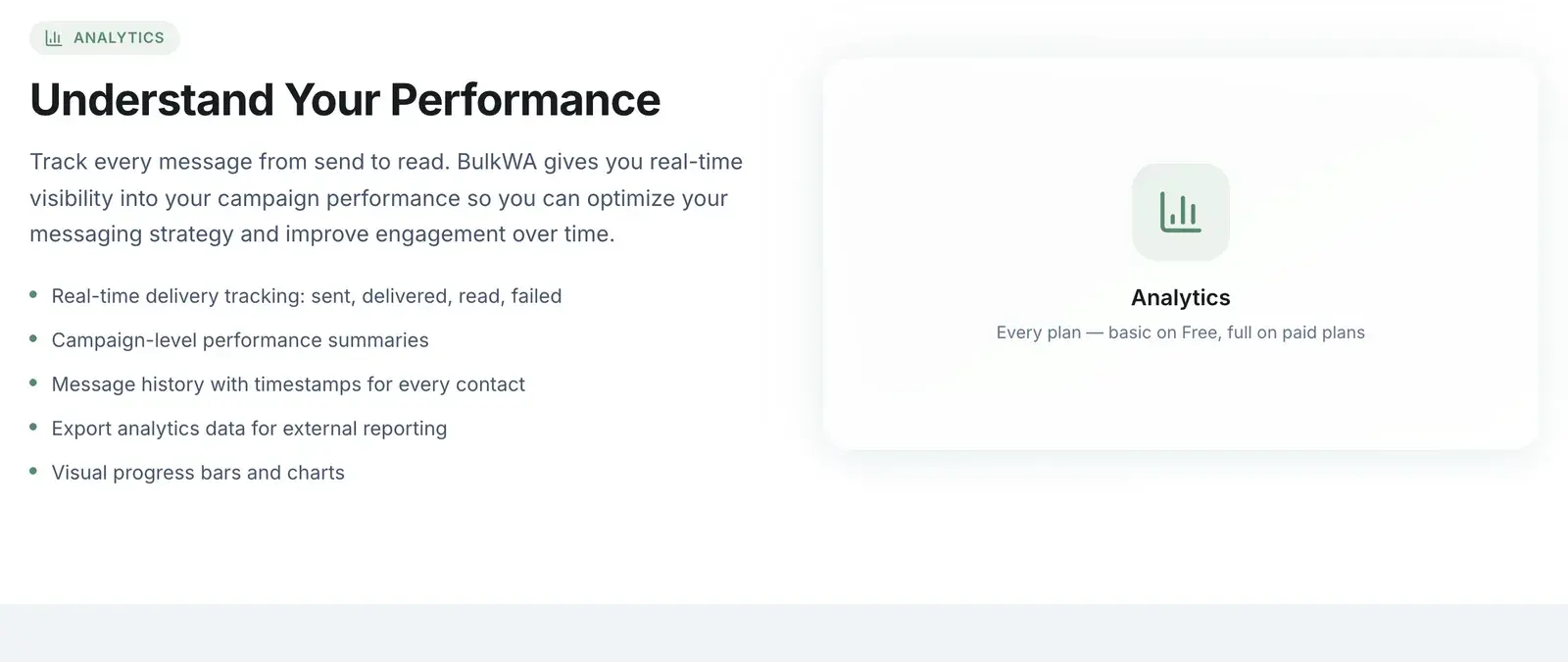
You also get status per recipient. A Channel shows follower counts and reactions; a bulk sender shows whether each person's message was sent, delivered, read or failed.
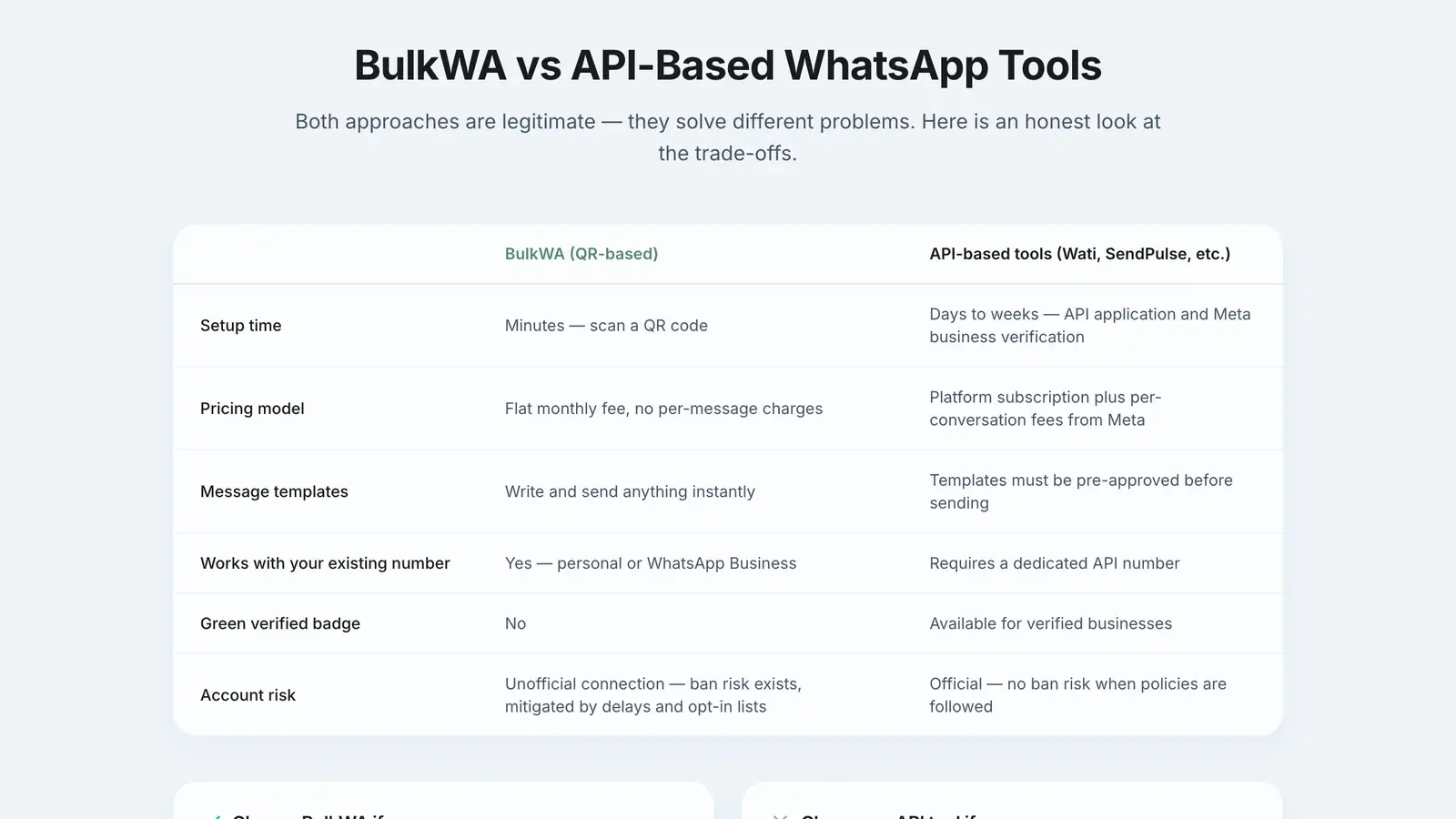
The trade-off is real: this is an unofficial connection, not the WhatsApp Business API, and the risk sits on your number. More on that below.
How Do the Four Options Compare Side by Side?
| Feature | Channel | Broadcast list | Community | Bulk sender |
|---|---|---|---|---|
| Who can receive | Anyone who follows | Contacts who saved your number | Members who joined or were added | Anyone on your imported list |
| Audience cap | No documented limit for ordinary use | 256 per list | Set by WhatsApp, has changed over time | Your plan's message allowance |
| Personalised | No | No | No | Yes, with placeholders |
| Replies | Reactions and poll votes only | Private chat to you | Limited; discussion happens in linked groups | Private chat to you |
| Sees numbers | Admin cannot see followers | Only you see recipients | Generally hidden from other members in announcements | Only you see recipients |
| Arrives as | Post in the Updates tab | Individual chat | Announcement group message | Individual chat |
| Cost | Free | Free | Free | Free tier, then $9 to $99 a month |
There is a fifth option for larger organisations: the official WhatsApp Business API, used directly or through a provider. It sends Meta-approved template messages, charges per message, and is the sanctioned route. Rates depend on country and message type, which we break down in is WhatsApp Business free.
Which One Should Your Business Use?
Pick by goal, not by feature list.
- Grow an audience of people who do not know you yet: Channel. It is free, nobody's number is exposed, and people can unfollow quietly instead of reporting you.
- Message a small, loyal list who saved your number: broadcast list. A hairdresser with 150 regulars, a tutor with 40 families. Free, with private replies.
- Run a group of people who talk to each other: Community. Parents, members, residents. Announcements plus topic groups.
- Send personalised reminders and offers to a known customer list: bulk sender. Appointment reminders with the time in them, order updates, a renewal notice that names the plan. When the message needs a name or a detail, the list is longer than 256, or many customers never saved your number, the built-in tools run out.
- Need an official, verified sender at enterprise volume: the API. Banks, airlines and anyone who cannot put a number at risk.
Can You Combine a Channel with Direct Messages?
Yes, and for most small businesses that is the strongest setup. The two do different jobs:
- The Channel is for discovery. It reaches people who are curious but not yet customers, and posting costs nothing.
- Direct messages are for people who asked to hear from you. Booking reminders, order updates and offers personal enough to use the customer's name.
The bridge between them is consent. In your Channel posts, invite followers to message you a keyword for direct updates. Anyone who does has opted in, and you have their number because they gave it to you. A click-to-chat link from our WhatsApp link & QR generator makes that one tap, and the QR version works on packaging, receipts and the counter. Our guide to building an opt-in list has wording you can adapt, and the free WhatsApp message templates help with what you send next.
What not to do: try to get followers' numbers out of a Channel. You cannot see them, and that is by design.
What Are the Risks of Using a Bulk Sender?
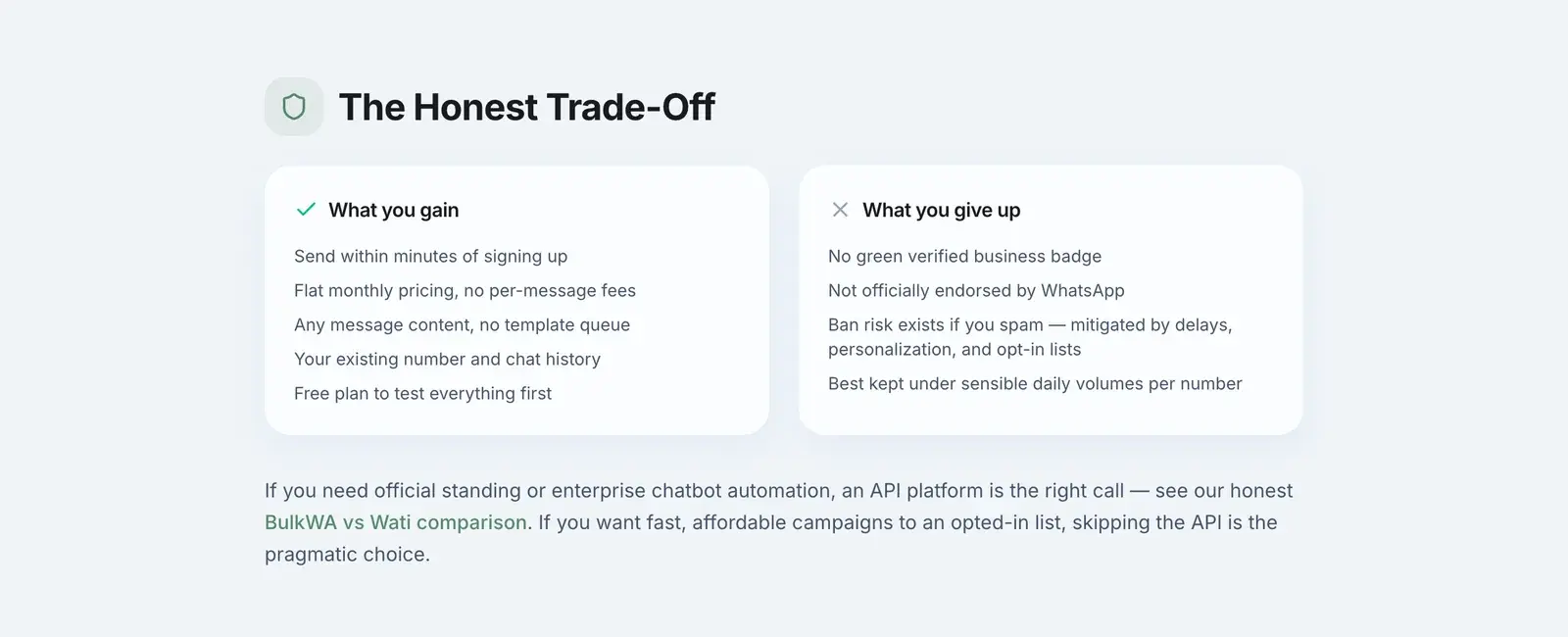
Be clear about what you are choosing. A QR-based sender is not official, WhatsApp does not endorse it, and if WhatsApp restricts the number, it is your number that is restricted. Channels and broadcast lists carry far less of this risk because WhatsApp built their limits in.
What keeps a number healthy:
- Opt-in only. Message people who agreed to hear from you. Reports from recipients are the main trigger for bans.
- Slow, randomized pacing. BulkWA waits a random 8 to 20 seconds between messages by default, so 500 messages take roughly two hours.
- Warm up new numbers. Start around 20 to 30 messages a day in the first week and build up over a month.
- Personalise. Hundreds of identical messages look automated.
- Honour STOP. Tell people how to opt out. BulkWA unsubscribes anyone who replies STOP automatically.
The full list is in our anti-ban rules.
Where BulkWA Fits
BulkWA does not replace a Channel. If you want strangers to discover you, start a Channel; it is free, and nothing we sell does that job better.
BulkWA covers the other half: individual, personalised messages from your own number to customers who asked for them, without the 256 cap or the saved-number rule. Import a spreadsheet, add placeholders, schedule the send, and track delivery for each recipient, with replies collected in one inbox. Plans run from free (50 messages a day, with a "Sent via BulkWA" note) through Starter at $9 a month to Business at $99; see pricing and the full list of features. For a handful of messages you can also use the free bulk sender, which opens each one as a click-to-chat link you send yourself.
When you have an opted-in list, create a free account without a card. Just remember it is not an official WhatsApp product.
Frequently Asked Questions
Can I see who follows my WhatsApp Channel?+
Not their phone numbers. WhatsApp hides followers' numbers from channel admins and from other followers, and your number is not shown to followers either. You can see follower counts, reactions and poll results. That privacy is the point of a Channel, so you cannot turn followers into a contact list. To message people directly, invite them to send you a message and opt in.
Is a WhatsApp Channel better than a broadcast list for a business?+
They do different jobs. A Channel suits reaching people who do not know you yet, because anyone can follow it and no numbers are exposed, but followers cannot reply in a chat and many leave channels muted. A broadcast list reaches up to 256 people who saved your number, as a private chat they can answer. Many businesses run both.
Do WhatsApp Channel messages send a notification?+
Not the way a one-to-one chat does. Channel updates appear in the Updates tab, and whether a follower is notified depends on their own settings; for many people channels are muted by default. That makes a Channel weaker for anything time-sensitive, such as appointment reminders or order updates. Those work better as individual messages to customers who agreed to receive them.
What is the difference between a WhatsApp Community and a Channel?+
A Community groups several related WhatsApp groups under one umbrella, with an announcement group where only admins post. Members join by invite link or are added by an admin, and they can talk to each other in the linked groups. A Channel has no groups and no member conversation: anyone can follow it, and followers can only react and vote in polls.
Is it safe to use a bulk sender instead of a Channel?+
It carries more risk. A Channel is an official WhatsApp feature, while a QR-based bulk sender is an unofficial connection and any restriction falls on your number. Keep it safe by messaging only opted-in contacts, keeping randomized delays of 8 to 20 seconds, warming up new numbers, personalising messages and honouring STOP replies. Use the Channel for broad announcements and individual sends for personal ones.
Ready to Try BulkWA?
Send bulk WhatsApp messages with personalized templates. Free to start, no credit card required.
Get Started Free